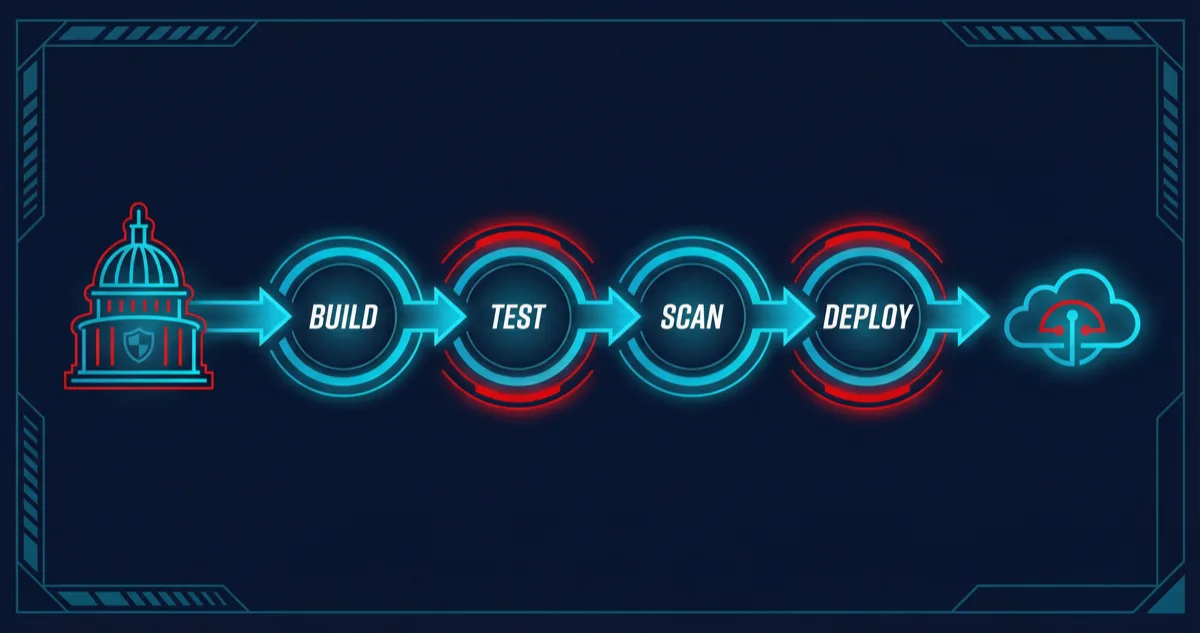
Government systems demand CI/CD pipelines that satisfy requirements commercial software rarely faces: every deployment must be auditable, every artifact must be traceable to a specific commit, every credential must be temporary, and every security scan must run before code reaches production. Rutagon builds DevOps pipelines for government systems that meet these requirements without sacrificing deployment velocity.
Our pipelines deploy infrastructure and applications across multi-account AWS environments using GitLab CI/CD. Zero long-lived credentials. Automated security scanning at every stage. Approval gates that enforce human review for production changes. Immutable audit trails from commit to deployment. These are the same pipeline patterns that deploy our production SaaS platform and content platform — battle-tested on commercial workloads, then hardened for government requirements.
OIDC Authentication: Zero Long-Lived Credentials
The most dangerous credential is the one that sits in a CI/CD variable for months, accessible to anyone with project access, and valid until someone remembers to rotate it. Rutagon eliminated this risk entirely.
Our GitLab CI/CD pipelines authenticate to AWS through OIDC federation. The GitLab runner presents a signed JWT to AWS STS, which validates the token against the configured OIDC identity provider and issues a temporary session with a 15-minute expiration.
# GitLab CI/CD — OIDC authentication to AWS
deploy_production:
  stage: deploy
  image: hashicorp/terraform:1.7
  id_tokens:
    GITLAB_OIDC_TOKEN:
      aud: https://gitlab.com
  variables:
    ROLE_ARN: arn:aws:iam::role/gitlab-deploy-production
  before_script:
    - >
      export $(
        aws sts assume-role-with-web-identity
        --role-arn $ROLE_ARN
        --role-session-name "gitlab-ci-${CI_PIPELINE_ID}"
        --web-identity-token $GITLAB_OIDC_TOKEN
        --duration-seconds 900
        --query 'Credentials.[AccessKeyId,SecretAccessKey,SessionToken]'
        --output text |
        awk '{print "AWS_ACCESS_KEY_ID="$1" AWS_SECRET_ACCESS_KEY="$2" AWS_SESSION_TOKEN="$3}'
      )
  script:
    - terraform init
    - terraform apply -auto-approve
  rules:
    - if: $CI_COMMIT_BRANCH == "main"
The IAM role's trust policy is scoped to a specific GitLab project and branch. A pipeline running from a feature branch cannot assume the production deploy role. A pipeline in a different GitLab project cannot assume any role in the account. If the OIDC token is somehow intercepted, it expires in minutes and is scoped to a single pipeline run.
This is not aspirational architecture. Every deployment Rutagon runs — commercial and government — uses OIDC authentication. We have zero IAM access keys across all accounts.
Automated Security Scanning
Security scanning in our pipelines is not a single tool run at the end. It is a layered approach where different tools catch different categories of vulnerabilities at different stages.
Static Application Security Testing (SAST)
SAST runs against application code before the build stage. It catches insecure coding patterns — SQL injection vectors, hardcoded secrets, insecure cryptographic usage — without executing the code.
sast_scan:
  stage: test
  image: returntocorp/semgrep:latest
  script:
    - semgrep scan
      --config auto
      --config p/owasp-top-ten
      --config p/python
      --error
      --json
      --output semgrep-results.json
  artifacts:
    reports:
      sast: semgrep-results.json
    when: always
The --error flag means any finding fails the pipeline. Findings are not warnings to be reviewed later — they are blocking issues that must be resolved before code progresses.
Container Image Scanning
Every container image is scanned with Trivy before it can be pushed to the registry. Trivy checks for known CVEs in OS packages and application dependencies.
container_scan:
  stage: test
  image:
    name: aquasec/trivy:latest
    entrypoint: [""]
  script:
    - trivy image
      --exit-code 1
      --severity CRITICAL,HIGH
      --ignore-unfixed
      --format json
      --output trivy-results.json
      ${CI_REGISTRY_IMAGE}:${CI_COMMIT_SHA}
  artifacts:
    reports:
      container_scanning: trivy-results.json
    when: always
Critical and high-severity CVEs with available fixes block the pipeline. Unfixed vulnerabilities are tracked but do not block — they represent upstream issues that we cannot resolve but must monitor for when patches become available.
Infrastructure as Code Scanning
Terraform configurations are scanned with tfsec and Checkov before terraform plan runs. These tools catch security misconfigurations — unencrypted storage, overly permissive security groups, missing logging — in infrastructure definitions.
iac_scan:
  stage: validate
  image: bridgecrew/checkov:latest
  script:
    - checkov
      --directory ./terraform
      --framework terraform
      --output json
      --output-file checkov-results.json
      --hard-fail-on CRITICAL HIGH
  artifacts:
    paths:
      - checkov-results.json
    when: always
Dependency Scanning
Application dependencies are checked for known vulnerabilities using language-specific tools. Python projects use pip-audit. Node.js projects use npm audit. Both run in the test stage and block on critical findings.
Approval Gates for Production Deployments
Automated pipelines should not deploy to production without human review. Our pipelines enforce approval gates at critical transition points.
stages:
  - validate
  - test
  - build
  - staging
  - approval
  - production

approve_production:
  stage: approval
  script:
    - echo "Awaiting manual approval for production deployment"
  environment:
    name: production
    action: prepare
  when: manual
  allow_failure: false
  rules:
    - if: $CI_COMMIT_BRANCH == "main"

deploy_production:
  stage: production
  needs: [approve_production]
  script:
    - ./deploy.sh production
  environment:
    name: production
The when: manual directive pauses the pipeline at the approval stage. A designated approver reviews the changes — the Terraform plan output, the security scan results, the test results — and explicitly approves the deployment. The approval, the approver's identity, and the timestamp are recorded in the pipeline audit trail.
For government systems, approval gates often require more than one approver. GitLab's protected environments feature enforces that production deployments require approval from at least two authorized personnel.
Artifact Signing and Provenance
Government systems require knowing exactly what is deployed and being able to verify that it has not been tampered with. We sign container images using Cosign and attach provenance metadata.
sign_image:
  stage: build
  image: gcr.io/projectsigstore/cosign:latest
  script:
    - cosign sign
      --key env://COSIGN_PRIVATE_KEY
      --tlog-upload=true
      ${CI_REGISTRY_IMAGE}:${CI_COMMIT_SHA}
    - cosign attest
      --key env://COSIGN_PRIVATE_KEY
      --predicate provenance.json
      --type slsaprovenance
      ${CI_REGISTRY_IMAGE}:${CI_COMMIT_SHA}
The Kubernetes admission controller verifies signatures before allowing images to run. An unsigned or tampered image is rejected at the cluster level, not just at the pipeline level.
Immutable Audit Trails
Every pipeline execution generates an audit record that captures:
- Who triggered the pipeline (GitLab user identity)
- What changed (commit SHA, diff, merge request)
- When each stage executed (timestamps for every job)
- What security scans found (SAST, container scan, IaC scan results)
- Who approved the production deployment (approver identity)
- What was deployed (signed artifact digest, Terraform plan output)
These records are forwarded to centralized logging in the security account with object lock. They cannot be modified or deleted.
For government clients, this audit trail satisfies NIST 800-171 AU (Audit & Accountability) controls. Auditors can trace any deployed artifact back to the specific commit, the developer who wrote it, the reviewer who approved the merge request, and the approver who authorized the production deployment.
For more on how this pipeline architecture fits into our broader security posture, see security compliance in CI/CD. For the multi-account infrastructure these pipelines deploy into, see Terraform multi-account AWS patterns.
Frequently Asked Questions
How fast are government CI/CD pipelines compared to commercial ones?
Our government pipelines add roughly 3-5 minutes of overhead compared to commercial pipelines, primarily from additional security scanning stages and approval gates. The actual build and deploy times are identical. A typical pipeline runs in under 15 minutes including all security scans. The approval gate adds human-dependent time, but the automation before and after it is fast.
Can these pipeline patterns work with GitHub Actions instead of GitLab CI/CD?
The patterns — OIDC authentication, layered security scanning, approval gates, artifact signing — are platform-agnostic. Rutagon uses GitLab CI/CD because it provides built-in container registry, OIDC token issuance, and protected environments in a single platform. The same architecture can be implemented with GitHub Actions, AWS CodePipeline, or other CI/CD platforms.
How do you handle secrets that pipelines need beyond AWS credentials?
Secrets like API keys for third-party services, database connection strings, and signing keys are stored in AWS Secrets Manager and retrieved at runtime by the pipeline's IAM role. No secrets are stored in GitLab CI/CD variables. The pipeline's OIDC-authenticated role has permissions to read specific secrets from Secrets Manager, and those permissions are scoped to only the secrets that pipeline needs.
What happens when a security scan blocks a deployment?
The pipeline fails, and the development team is notified. For SAST findings, the developer reviews the finding, determines if it is a true positive, and either fixes the code or marks the finding as an accepted risk with documented justification. For CVEs in dependencies, the fix is typically updating the dependency. Accepted risks are tracked in a risk register and reviewed quarterly.
How do you ensure pipeline configurations themselves are secure?
Pipeline configurations (.gitlab-ci.yml) are stored in version control and go through the same merge request review process as application code. Protected branches prevent direct pushes. The pipeline configuration cannot be modified without peer review and approval. Additionally, our pipelines run in ephemeral containers — there is no persistent build server that could accumulate state or be compromised over time.
Discuss your project with Rutagon
Contact Us →