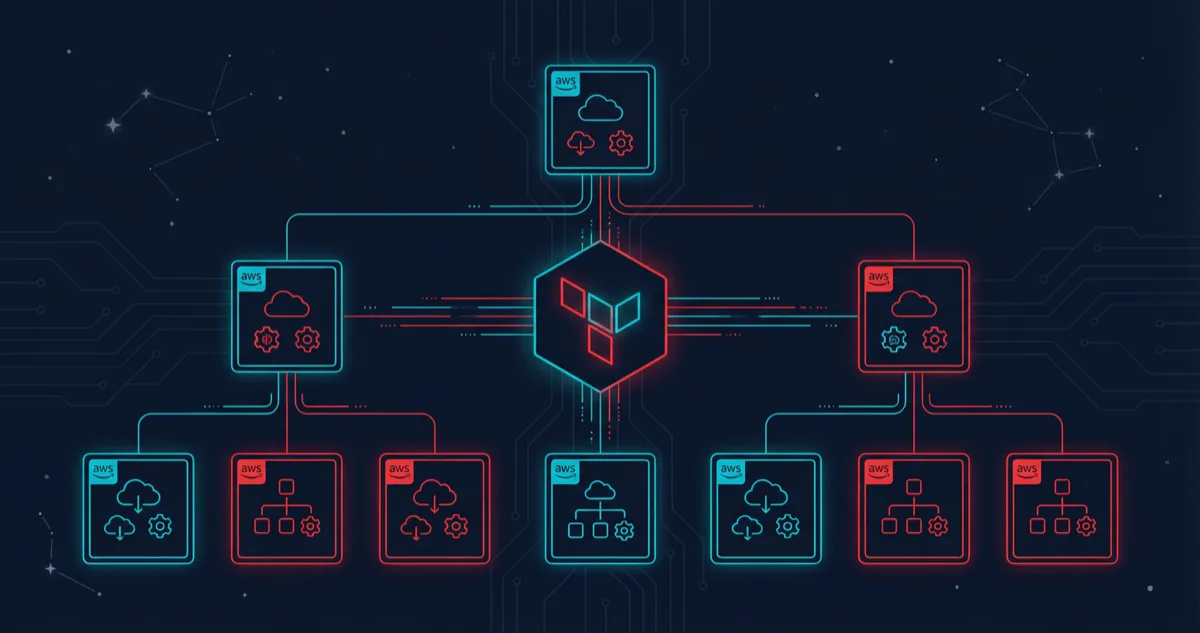
Every production workload Rutagon deploys runs in a multi-account AWS environment managed entirely through Terraform. Not because it is trendy — because isolating blast radius, enforcing least-privilege boundaries, and maintaining audit trails across accounts is how we keep our production systems secure and independently deployable.
This article walks through the Terraform multi-account AWS patterns we use in production: the account factory that provisions new accounts, the shared networking layer, the security baselines applied to every account, and the cross-account IAM roles that tie it all together.
Why Multi-Account Matters for Production Workloads
A single AWS account is a liability at scale. IAM policies become tangled. Resource limits collide. A misconfigured security group in staging can expose production data.
Rutagon operates across multiple AWS accounts organized under AWS Organizations. Our commercial SaaS platform — spanning iOS, Android, and a web dashboard backed by 25+ AWS services — runs in its own dedicated account. A content platform with 30+ pages and sub-second load times occupies a separate account with its own CloudFront distributions and Terraform state. Shared services like centralized logging, DNS, and container registries live in infrastructure accounts that workload accounts reference but never modify.
This separation is not theoretical. It is how we ship production software every week.
The Account Factory Pattern
Provisioning a new AWS account by hand is a recipe for configuration drift. Our account factory is a Terraform module that creates accounts through AWS Organizations and applies a baseline configuration in a single terraform apply.
module "workload_account" {
  source = "./modules/account-factory"

  account_name  = "rutagon-workload-prod"
  account_email = "aws+workload-prod@rutagon.com"
  ou_id         = aws_organizations_organizational_unit.workloads.id

  enable_guardduty     = true
  enable_config        = true
  enable_cloudtrail    = true
  security_baseline    = "standard"
  budget_limit_usd     = 500
  alert_email          = "ops@rutagon.com"
}
The module handles:
- Account creation inside the correct Organizational Unit
- Service Control Policies (SCPs) that deny dangerous actions (disabling CloudTrail, opening 0.0.0.0/0 ingress on sensitive ports, creating IAM users with console access)
- Baseline security services — GuardDuty, AWS Config rules, and CloudTrail forwarding to the centralized logging account
- Budget alarms so no account quietly accumulates unexpected spend
When we onboarded a content platform's infrastructure — Terraform-managed from day one — the account was production-ready within an hour. DNS delegation, CloudFront origins, WAF rules, and Amplify hosting were layered on top of a baseline that already enforced encryption at rest, logging, and alerting.
Shared Networking with Transit Gateway
Workload accounts need to communicate with shared services — container registries, centralized logging endpoints, internal DNS — without exposing themselves to the internet or to each other.
We use AWS Transit Gateway owned by the infrastructure account, with RAM (Resource Access Manager) shares granting attachment rights to workload accounts.
resource "aws_ec2_transit_gateway" "main" {
  description                     = "Rutagon shared transit gateway"
  default_route_table_association = "disable"
  default_route_table_propagation = "disable"
  auto_accept_shared_attachments  = "disable"

  tags = {
    Name        = "rutagon-tgw"
    Environment = "shared"
    ManagedBy   = "terraform"
  }
}

resource "aws_ram_resource_share" "tgw_share" {
  name                      = "tgw-workload-share"
  allow_external_principals = false

  tags = {
    ManagedBy = "terraform"
  }
}

resource "aws_ram_resource_association" "tgw" {
  resource_arn       = aws_ec2_transit_gateway.main.arn
  resource_share_arn = aws_ram_resource_share.tgw_share.arn
}
Route tables are explicit. One workload's production VPC can reach the shared ECR registry and centralized logging but cannot route to another workload's VPC — and vice versa. Segmentation is enforced at the network layer, not just IAM.
Security Baselines Across Every Account
Every account provisioned through the factory receives the same security baseline. This is not optional. The baseline module configures:
AWS Config Rules — Checks for unencrypted S3 buckets, public security groups, unused IAM credentials, and root account usage.
GuardDuty — Threat detection with findings forwarded to the security account's EventBridge bus for centralized alerting.
CloudTrail — Multi-region trail writing to a centralized S3 bucket in the logging account with KMS encryption.
IAM Password Policy and Account Settings — Block public S3 access at the account level. Enforce MFA on the root account.
module "security_baseline" {
  source = "./modules/security-baseline"

  cloudtrail_s3_bucket = data.terraform_remote_state.logging.outputs.trail_bucket
  cloudtrail_kms_key   = data.terraform_remote_state.logging.outputs.trail_kms_key
  guardduty_detector   = true

  config_rules = [
    "s3-bucket-server-side-encryption-enabled",
    "ec2-security-group-attached-to-eni",
    "iam-user-no-policies-check",
    "root-account-mfa-enabled",
    "restricted-ssh",
  ]

  scp_deny_actions = [
    "cloudtrail:StopLogging",
    "cloudtrail:DeleteTrail",
    "guardduty:DeleteDetector",
    "organizations:LeaveOrganization",
  ]
}
This baseline is what gives us confidence that no account — regardless of what workload it hosts — starts life with security gaps. When we discussed our CI/CD security compliance approach, the pipeline-level controls assume these account-level protections already exist.
Cross-Account IAM Roles and OIDC Federation
Rutagon operates with zero long-lived credentials. No IAM access keys stored in CI/CD variables. No shared service accounts with permanent sessions.
Cross-account access uses IAM roles with trust policies scoped to specific principals. Our GitLab CI/CD pipelines authenticate through OIDC federation — the runner presents a JWT, AWS STS validates it against the OIDC provider, and a session is issued with a 15-minute TTL.
resource "aws_iam_openid_connect_provider" "gitlab" {
  url             = "https://gitlab.com"
  client_id_list  = ["https://gitlab.com"]
  thumbprint_list = [var.gitlab_thumbprint]
}

resource "aws_iam_role" "deploy" {
  name = "gitlab-deploy-role"

  assume_role_policy = jsonencode({
    Version = "2012-10-17"
    Statement = [{
      Effect = "Allow"
      Principal = {
        Federated = aws_iam_openid_connect_provider.gitlab.arn
      }
      Action = "sts:AssumeRoleWithWebIdentity"
      Condition = {
        StringEquals = {
          "gitlab.com:sub" = "project_path:rutagon/infrastructure:ref_type:branch:ref:main"
        }
      }
    }]
  })
}
The Condition block is critical. It restricts which GitLab project and branch can assume the role. A deployment from a feature branch cannot assume the production deploy role. A pipeline in a different project cannot assume any role in the account.
This pattern extends across accounts. The deploy role in each production account trusts only the specific GitLab project that manages that workload. The infrastructure account's deploy role trusts only the infrastructure repository's main branch.
For details on how we migrated government workloads into this structure, see our article on GCP to AWS migration for government systems.
State Management and Workspace Strategy
Terraform state for each account lives in a dedicated S3 backend with DynamoDB state locking. State buckets exist in the management account with cross-account access policies scoped to each workload's deploy role.
terraform {
  backend "s3" {
    bucket         = "rutagon-terraform-state"
    key            = "workloads/saas-platform/prod/terraform.tfstate"
    region         = "us-west-2"
    dynamodb_table = "rutagon-terraform-locks"
    encrypt        = true
  }
}
We do not use Terraform workspaces for environment separation. Each environment gets its own state file, its own backend key, and its own deploy role. This avoids the footgun of accidentally applying a staging plan to production because someone forgot to run terraform workspace select.
Putting It All Together
The architecture looks like this in practice:
- Management account owns AWS Organizations, SCPs, and the Terraform state backend
- Security account aggregates GuardDuty findings, Config aggregator, and CloudTrail logs
- Infrastructure account hosts Transit Gateway, shared ECR, Route 53 hosted zones
- Workload accounts (SaaS platform, content platform, etc.) each run isolated with their own VPC, IAM roles, and resources
A new workload account goes from zero to production-ready in under an hour. Security baselines are non-negotiable. Network isolation is enforced at the infrastructure layer. Deployments authenticate through OIDC with no permanent credentials.
This is not a reference architecture we recommend. It is the system we run.
Frequently Asked Questions
How many AWS accounts does Rutagon typically manage for a single product?
A single product spans at minimum three accounts: production, staging, and a shared services account for container registries and logging. Larger deployments add dedicated accounts for CI/CD runners and security tooling. The account factory makes provisioning painless regardless of count.
Does the multi-account pattern increase operational complexity?
It shifts complexity from runtime incident response to upfront architecture. Debugging a permission error across accounts takes more thought than debugging within a single account, but the trade-off is worth it — blast radius isolation means a staging incident never touches production. Terraform modules and consistent IAM patterns keep the cognitive overhead manageable.
How do you handle Terraform state across so many accounts?
All state lives in a single S3 bucket in the management account with DynamoDB locking. Each workload's state file is keyed by account and environment. Cross-account access to the state bucket is tightly scoped — each workload's deploy role can only read and write its own state files.
Can this approach work for smaller projects?
Absolutely. Even a content platform — not a massive SaaS product — still benefits from account isolation. The account factory module means spinning up a properly configured account takes no more effort than deploying into an existing one. The overhead is in building the factory once — after that, every project benefits.
What happens if an SCP blocks a legitimate action?
SCPs are deliberately conservative. If a workload needs an action that an SCP blocks — say, creating a public S3 bucket for a static site — we evaluate whether the SCP should be loosened for that OU or whether the workload should use an alternative approach (like CloudFront with an OAI). The default is to keep the SCP and find a secure alternative.
Discuss your project with Rutagon
Contact Us →