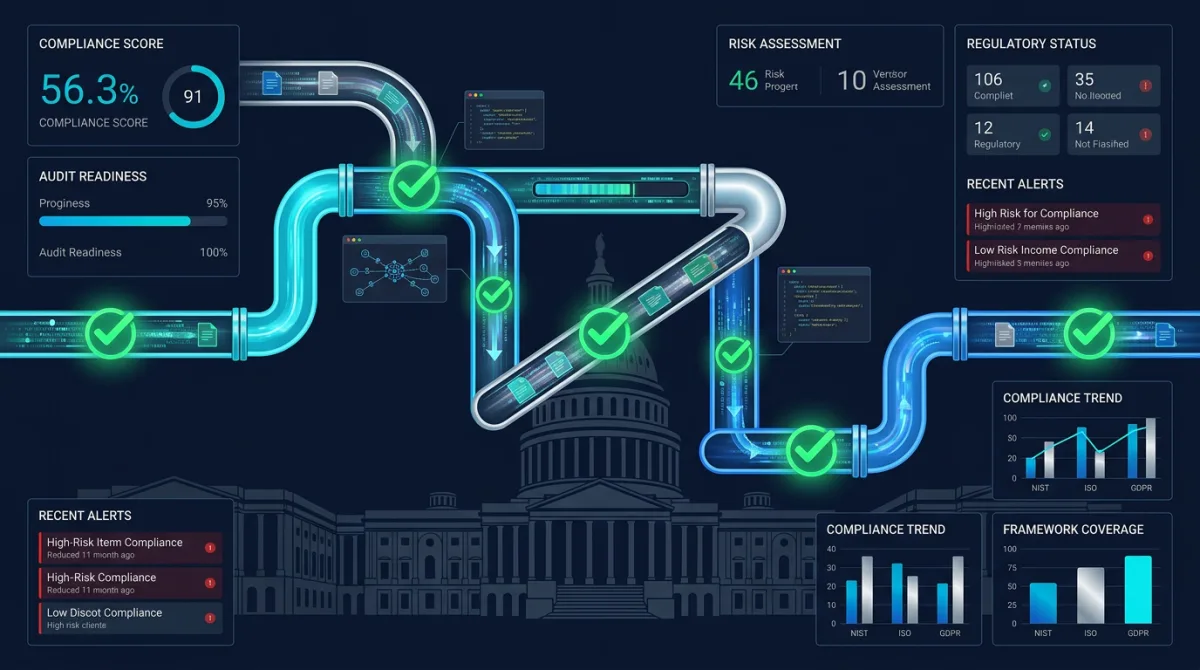
Automated compliance reporting transforms security compliance from a periodic documentation burden into a continuous, machine-driven process. Government systems operating under FISMA, FedRAMP, and CMMC frameworks face audit cycles that traditionally consume hundreds of engineering hours per year — pulling screenshots, exporting configurations, writing narrative evidence, and assembling packages for assessors. Rutagon builds compliance automation that generates this evidence continuously, reducing audit preparation from weeks to hours while improving the accuracy and completeness of every assessment.
This article details the architecture we deploy: event-driven evidence collection, automated control mapping, real-time compliance dashboards, and the integration patterns that keep compliance data current without manual intervention.
The Cost of Manual Compliance
Government IT systems typically undergo annual security assessments, continuous monitoring reviews, and ad-hoc audits triggered by incidents or organizational changes. The manual approach to each:
- An assessor requests evidence for a set of controls (e.g., AC-2 Account Management, AU-6 Audit Review).
- Engineers search through consoles, export configurations, and take screenshots.
- Someone writes narrative text explaining how each control is implemented.
- The package is assembled, reviewed internally, and submitted.
For a system implementing 200+ NIST 800-53 controls, this process takes 4-8 weeks of dedicated effort. The evidence is stale by the time it's reviewed — configurations change daily, but evidence reflects a point-in-time snapshot. Assessors know this, which is why they increasingly prefer continuous monitoring data over static evidence packages.
The shift toward automated CMMC evidence collection reflects a broader recognition that manual compliance doesn't scale and doesn't produce reliable results.
Event-Driven Evidence Collection Architecture
The foundation of automated compliance reporting is capturing system events as they happen and mapping them to control requirements:
┌──────────────┐    ┌─────────────┐    ┌──────────────────┐
│  CloudTrail  │───▶│             │───▶│ Evidence Store    │
│  Config      │    │  EventBridge│    │ (S3 + DynamoDB)   │
│  GuardDuty   │───▶│  Router     │───▶│                  │
│  Inspector   │    │             │    │ Control Mapping   │
│  SecurityHub │───▶│             │───▶│ Dashboard Feed    │
└──────────────┘    └─────────────┘    └──────────────────┘
EventBridge Rules for Evidence Capture
resource "aws_cloudwatch_event_rule" "iam_changes" {
  name        = "capture-iam-changes"
  description = "Captures IAM policy and user changes for AC-2, AC-6 evidence"

  event_pattern = jsonencode({
    source      = ["aws.iam"]
    detail-type = ["AWS API Call via CloudTrail"]
    detail = {
      eventSource = ["iam.amazonaws.com"]
      eventName = [
        "CreateUser", "DeleteUser", "AttachUserPolicy",
        "DetachUserPolicy", "CreateRole", "DeleteRole",
        "PutRolePolicy", "UpdateAssumeRolePolicy"
      ]
    }
  })
}

resource "aws_cloudwatch_event_target" "iam_evidence" {
  rule = aws_cloudwatch_event_rule.iam_changes.name
  arn  = aws_lambda_function.evidence_collector.arn

  input_transformer {
    input_paths = {
      event_name = "$.detail.eventName"
      principal  = "$.detail.userIdentity.arn"
      timestamp  = "$.detail.eventTime"
      region     = "$.detail.awsRegion"
    }

    input_template = <<EOF
{
  "control_families": ["AC-2", "AC-6"],
  "evidence_type": "iam_change",
  "event_name": <event_name>,
  "principal": <principal>,
  "timestamp": <timestamp>,
  "region": <region>
}
EOF
  }
}
The input_transformer maps each AWS event to the NIST 800-53 control families it provides evidence for. An IAM user creation event generates evidence for AC-2 (Account Management) and AC-6 (Least Privilege) simultaneously.
Evidence Collector Lambda
import boto3
import json
import hashlib
from datetime import datetime

dynamodb = boto3.resource("dynamodb")
s3 = boto3.client("s3")
evidence_table = dynamodb.Table("compliance-evidence")

def handler(event, context):
    evidence_id = hashlib.sha256(
        json.dumps(event, sort_keys=True).encode()
    ).hexdigest()[:16]

    timestamp = event.get("timestamp", datetime.utcnow().isoformat())

    raw_evidence = {
        "event": event,
        "collection_timestamp": datetime.utcnow().isoformat(),
        "collector_version": "2.1.0",
    }

    s3.put_object(
        Bucket="compliance-evidence-store",
        Key=f"evidence/{datetime.utcnow().strftime('%Y/%m/%d')}/{evidence_id}.json",
        Body=json.dumps(raw_evidence),
        ServerSideEncryption="aws:kms",
    )

    for control in event.get("control_families", []):
        evidence_table.put_item(
            Item={
                "control_id": control,
                "evidence_id": evidence_id,
                "timestamp": timestamp,
                "evidence_type": event["evidence_type"],
                "summary": f"{event['event_name']} by {event['principal']}",
                "s3_key": f"evidence/{datetime.utcnow().strftime('%Y/%m/%d')}/{evidence_id}.json",
                "ttl": int((datetime.utcnow().timestamp()) + 365 * 86400),
            }
        )

    return {"statusCode": 200, "evidenceId": evidence_id}
Every evidence item is stored with KMS encryption in S3 (preserving the raw event for assessor review) and indexed in DynamoDB by control family (enabling fast lookups during audits). The TTL ensures evidence retention matches the system's authorization requirements — typically one to three years.
AWS Config Rules for Continuous Compliance
AWS Config provides continuous configuration assessment. We deploy custom and managed Config rules mapped to specific NIST controls:
resource "aws_config_config_rule" "encrypted_volumes" {
  name = "sc-28-encrypted-volumes"

  source {
    owner             = "AWS"
    source_identifier = "ENCRYPTED_VOLUMES"
  }

  tags = {
    ControlFamily = "SC-28"
    ControlName   = "Protection of Information at Rest"
    Framework     = "NIST-800-53-Rev5"
  }
}

resource "aws_config_config_rule" "mfa_enabled" {
  name = "ia-2-mfa-enabled"

  source {
    owner             = "AWS"
    source_identifier = "MFA_ENABLED_FOR_IAM_CONSOLE_ACCESS"
  }

  tags = {
    ControlFamily = "IA-2"
    ControlName   = "Identification and Authentication"
    Framework     = "NIST-800-53-Rev5"
  }
}

resource "aws_config_config_rule" "cloudtrail_enabled" {
  name = "au-2-cloudtrail-enabled"

  source {
    owner             = "AWS"
    source_identifier = "CLOUD_TRAIL_ENABLED"
  }

  tags = {
    ControlFamily = "AU-2"
    ControlName   = "Audit Events"
    Framework     = "NIST-800-53-Rev5"
  }
}
Tagging Config rules with control metadata enables automated compliance scoring — query all rules tagged with a control family, check their compliance status, and calculate the percentage of passing resources.
Real-Time Compliance Dashboards
The compliance data feeds into dashboards that provide real-time visibility for system owners, ISSOs, and assessors. We build these using the same real-time dashboard architecture we deploy for operational monitoring:
Compliance Score Calculation
def calculate_compliance_score(control_family: str) -> dict:
    config = boto3.client("config")

    rules = config.describe_config_rules()["ConfigRules"]
    family_rules = [
        r for r in rules
        if r.get("Tags", {}).get("ControlFamily") == control_family
    ]

    compliant = 0
    non_compliant = 0
    not_applicable = 0

    for rule in family_rules:
        status = config.get_compliance_details_by_config_rule(
            ConfigRuleName=rule["ConfigRuleName"],
            ComplianceTypes=["COMPLIANT", "NON_COMPLIANT"]
        )

        rule_compliant = sum(
            1 for r in status["EvaluationResults"]
            if r["ComplianceType"] == "COMPLIANT"
        )
        rule_non_compliant = sum(
            1 for r in status["EvaluationResults"]
            if r["ComplianceType"] == "NON_COMPLIANT"
        )

        compliant += rule_compliant
        non_compliant += rule_non_compliant

    total = compliant + non_compliant
    score = (compliant / total * 100) if total > 0 else 100

    return {
        "control_family": control_family,
        "score": round(score, 1),
        "compliant_resources": compliant,
        "non_compliant_resources": non_compliant,
        "timestamp": datetime.utcnow().isoformat(),
    }
Dashboard Metrics
The dashboard surfaces:
- Overall compliance score across all control families
- Per-family scores with drill-down to individual controls
- Trend lines showing compliance trajectory over 30/60/90 days
- Non-compliant resource list with remediation guidance
- Evidence collection timeline showing continuous monitoring activity
- Time since last evidence per control — gaps trigger alerts
This is the kind of continuous monitoring that FedRAMP-ready architectures require. Monthly ConMon reports pull directly from the dashboard data rather than requiring manual compilation.
Automated Report Generation
When an assessor requests a compliance package, the system generates it automatically:
def generate_compliance_package(
    system_name: str,
    framework: str,
    control_families: list[str],
) -> str:
    package = {
        "system": system_name,
        "framework": framework,
        "generated_at": datetime.utcnow().isoformat(),
        "controls": {},
    }

    for family in control_families:
        evidence = query_evidence(family, days=90)
        config_status = calculate_compliance_score(family)

        package["controls"][family] = {
            "implementation_status": config_status["score"],
            "evidence_count": len(evidence),
            "latest_evidence": evidence[0] if evidence else None,
            "config_rule_results": config_status,
            "narrative": generate_control_narrative(family, evidence),
        }

    report_key = f"reports/{system_name}/{datetime.utcnow().strftime('%Y-%m-%d')}.json"
    s3.put_object(
        Bucket="compliance-evidence-store",
        Key=report_key,
        Body=json.dumps(package, indent=2),
    )

    return report_key
The generate_control_narrative function produces human-readable descriptions of how each control is implemented, populated with actual configuration data and recent evidence. Assessors get current, accurate evidence packages generated in minutes rather than weeks.
Integration with Security Hub
AWS Security Hub aggregates findings from Config, GuardDuty, Inspector, and third-party tools into a unified view. We enable Security Hub's NIST 800-53 standard and feed its findings into our compliance pipeline:
resource "aws_securityhub_standards_subscription" "nist" {
  standards_arn = "arn:aws:securityhub:us-gov-west-1::standards/nist-800-53/v/5.0.0"
}

resource "aws_securityhub_account" "main" {
  enable_default_standards = false
  auto_enable_controls     = true
}
Security Hub findings map directly to control families, providing another automated evidence stream. The compliance dashboard ingests Security Hub data alongside our custom evidence collection, giving assessors a comprehensive view without manual correlation.
This layered approach — Config for resource compliance, CloudTrail for activity evidence, Security Hub for finding aggregation, and custom collection for application-specific controls — creates the comprehensive security automation that our cybersecurity practice delivers across every government engagement.
Frequently Asked Questions
How much engineering effort does it take to set up automated compliance reporting?
Initial implementation takes 2-3 sprints (4-6 weeks) for a standard NIST 800-53 Moderate system. This includes deploying the evidence collection pipeline, configuring Config rules, building the dashboard, and mapping controls. After setup, the system runs autonomously — ongoing effort drops to a few hours per month for rule updates and dashboard maintenance.
Does automated evidence satisfy FedRAMP assessors?
Yes. FedRAMP assessors increasingly prefer automated evidence over manual screenshots because it demonstrates continuous compliance rather than point-in-time compliance. The evidence is timestamped, immutable (stored in S3 with versioning), and machine-verifiable. Many 3PAOs specifically ask whether continuous monitoring is automated during assessment planning.
Can this architecture support multiple compliance frameworks simultaneously?
Absolutely. Each evidence item can map to multiple frameworks — a single CloudTrail event provides evidence for NIST 800-53 AU-2, CMMC AU.L2-3.3.1, and FedRAMP AU-2 simultaneously. The tagging and mapping layer handles cross-framework correlation, so one evidence collection pipeline supports FISMA, FedRAMP, and CMMC reporting from the same data.
How do you handle controls that require human attestation?
Not every control can be fully automated. Controls requiring human attestation (security awareness training completion, background check verification, physical access reviews) integrate through workflow automation — scheduled reminders, acknowledgment forms, and attestation records stored in the same evidence pipeline. The dashboard flags overdue attestations to prevent gaps.
What happens when a compliance score drops below threshold?
CloudWatch alarms trigger when any control family score drops below configurable thresholds (typically 95% for production systems). The alert includes the specific non-compliant resources and recommended remediation. For critical controls (encryption, access management), automated remediation can restore compliance without human intervention — for example, enabling encryption on an unencrypted EBS volume detected by Config.
Discuss your project with Rutagon
Contact Us →