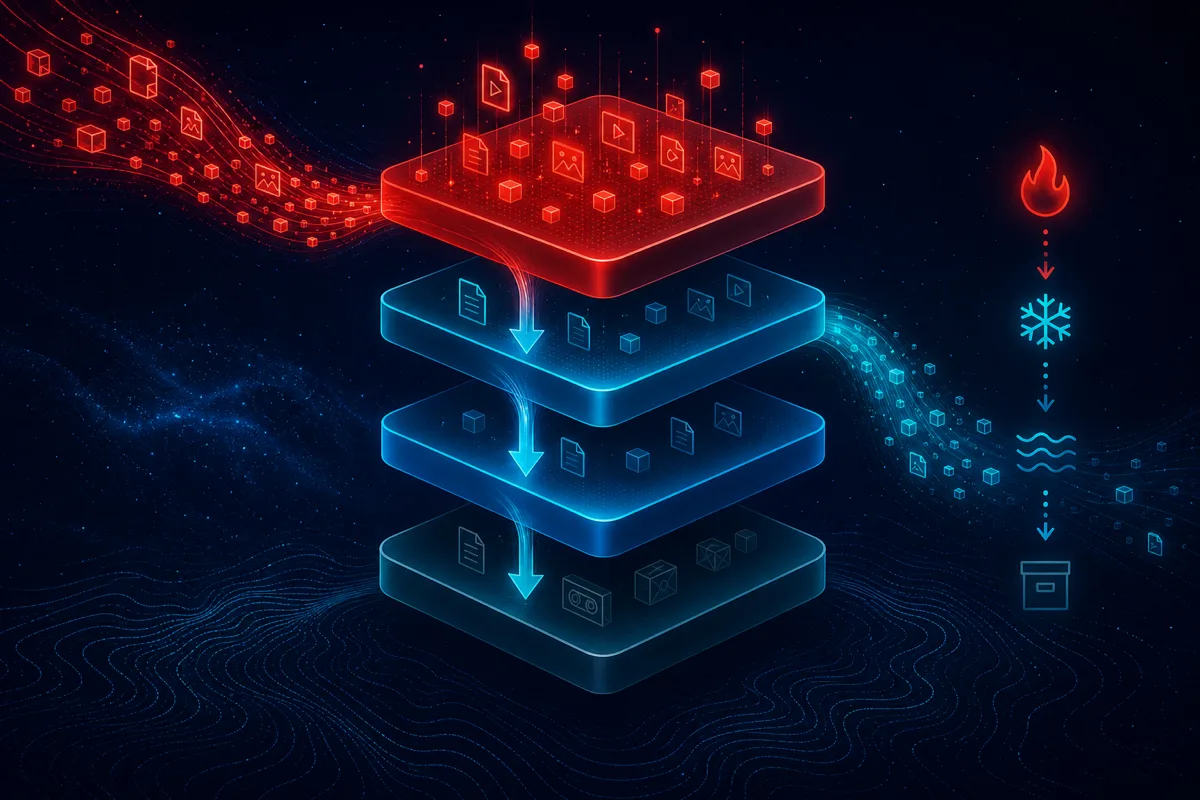
S3 storage cost is one of the easiest AWS bills to optimize and one of the most commonly ignored, because storage costs feel small on a per-GB basis and grow so gradually that nobody notices the aggregate until it's a meaningful line item. Most accounts we audit have the vast majority of their S3 data sitting in Standard storage regardless of actual access patterns — a default that costs real money at scale.
The Storage Classes and Where Each Fits
S3 Standard — highest cost, no retrieval fees, immediate access. Appropriate for actively accessed data with unpredictable or frequent access patterns.
S3 Intelligent-Tiering — automatically moves objects between access tiers based on actual usage patterns, with a small monitoring fee per object. This is the safest default for data with unknown or changing access patterns, since it removes the guesswork of manually classifying every object.
S3 Standard-IA (Infrequent Access) — lower storage cost than Standard, but carries a per-GB retrieval fee. Appropriate for data accessed occasionally (monthly-ish) where the storage savings outweigh occasional retrieval costs.
S3 One Zone-IA — similar to Standard-IA but stored in a single availability zone rather than replicated across multiple, at a further cost reduction. Appropriate only for data you can afford to lose or easily regenerate if that single zone experiences an outage — not appropriate for anything without a separate backup.
S3 Glacier Instant Retrieval — archival-tier pricing with millisecond retrieval, appropriate for data accessed rarely (quarterly-ish) but needing to remain instantly available when it is accessed.
S3 Glacier Flexible Retrieval and Glacier Deep Archive — the lowest-cost tiers, with retrieval times ranging from minutes to many hours. Appropriate for true archival data — compliance retention, historical backups — where retrieval speed genuinely doesn't matter.
Building a Lifecycle Policy That Matches Real Access Patterns
The mistake most teams make is applying a single lifecycle rule uniformly across an entire bucket regardless of what's actually inside it. Effective lifecycle policies segment data by actual access pattern, which usually means organizing by prefix or object tags rather than by bucket alone.
Analyze actual access patterns before setting rules. S3 Storage Lens and S3 access logs provide the data needed to understand which objects are actually being accessed and how frequently, rather than guessing based on assumptions about the data's purpose.
Common lifecycle pattern for application data: Standard for 30 days (covers the period when data is most likely to be actively accessed), transition to Standard-IA at 30 days, transition to Glacier Instant Retrieval at 90 days, transition to Glacier Deep Archive at 365 days if long-term retention is required.
Common lifecycle pattern for log data: Often can skip Standard-IA entirely and move directly to Glacier Flexible Retrieval or Deep Archive after a short active window (7-30 days), since logs are rarely accessed after the initial troubleshooting window unless there's a specific audit or investigation need.
Common lifecycle pattern for user-uploaded content: Depends heavily on your application — content that gets accessed indefinitely (profile photos, active user files) may not benefit from IA/Glacier transitions at all, while content tied to closed accounts or completed transactions is a strong candidate for archival tiers.
When Intelligent-Tiering Beats Manual Lifecycle Rules
If your data has genuinely unpredictable access patterns — some objects get accessed heavily for months then go cold, others go cold immediately, and there's no reliable way to predict which is which at upload time — Intelligent-Tiering removes the need to build and maintain complex lifecycle rules. The small monitoring fee is usually worth the operational simplicity and the guarantee that you're not leaving cold data in Standard storage indefinitely due to imperfect manual rules.
Common Mistakes That Erase the Savings
Ignoring retrieval costs when calculating actual savings. A lower storage tier with frequent unexpected retrievals can end up costing more than Standard storage once retrieval fees are included. Model your actual access frequency before committing to an aggressive lifecycle policy.
Applying One Zone-IA to data without a separate backup. This tier trades durability for cost savings — appropriate only when you have another copy of the data elsewhere or can regenerate it, never for your only copy of important data.
Forgetting about minimum storage duration charges. Standard-IA, One Zone-IA, and Glacier tiers all have minimum storage duration charges (ranging from 30 days to 180 days depending on tier) — transitioning data that gets deleted or re-accessed before the minimum duration can actually cost more than leaving it in Standard.
Not accounting for request pricing differences. Glacier retrieval requests, especially expedited retrievals, carry meaningfully higher per-request costs than Standard tier requests. High-frequency access patterns against archival tiers can produce a surprising bill.
Measuring the Impact
Run S3 Storage Lens reports before and after implementing lifecycle policies to track the actual cost distribution shift across storage classes. In most accounts we've audited that hadn't previously implemented systematic lifecycle management, S3 cost reductions of 20-40% are achievable once data is properly distributed across tiers matching actual access patterns.
Rutagon runs FinOps audits and implements S3 lifecycle optimization as part of broader cloud cost reduction engagements. Contact us to discuss a storage cost optimization audit.
Frequently Asked Questions
How much can I save by optimizing S3 storage classes?
In accounts without prior lifecycle management, we typically see 20-40% reduction in S3 storage costs after implementing lifecycle policies matched to actual access patterns, based on Storage Lens analysis of real usage.
Should I use Intelligent-Tiering or set up manual lifecycle rules?
Intelligent-Tiering works well when access patterns are genuinely unpredictable, since it removes the need to guess. Manual lifecycle rules make sense when you have clear, predictable access patterns (like log data or completed transaction records) that justify a fixed policy without the small monitoring fee.
What's the risk of using S3 One Zone-IA?
One Zone-IA stores data in a single availability zone rather than replicating across multiple zones, meaning you lose durability protection in exchange for lower cost. Only use it for data with a separate backup or that can be easily regenerated — never for your only copy of important data.
Do storage class transitions have hidden costs?
Yes. Retrieval fees, minimum storage duration charges (which vary by tier), and request pricing differences can all erode expected savings if not modeled against your actual access patterns before implementing an aggressive lifecycle policy.
How do I know which of my S3 data is actually a good candidate for archival tiers?
Use S3 Storage Lens and access logs to analyze actual access frequency per prefix or object tag before setting lifecycle rules, rather than guessing based on assumptions about what the data is used for.