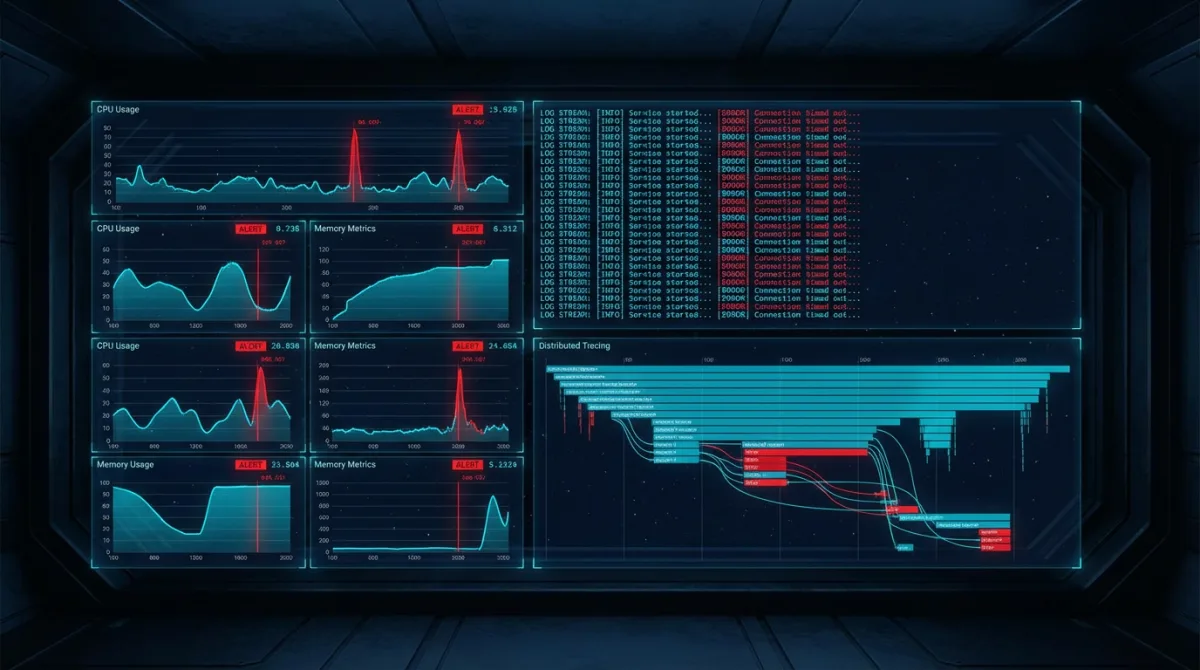
# Observability for Production Systems in Regulated Environments
Observability in production systems isn't about dashboards — it's about answering questions you haven't thought to ask yet. When a regulated system behaves unexpectedly at 2 AM, you need the ability to reconstruct exactly what happened, why, and what data was affected. Dashboards show you known unknowns. Observability handles the unknown unknowns.
We've built observability into production systems that serve millions of requests across commercial and government environments. The three pillars — metrics, traces, and logs — are table stakes. What makes observability work in regulated environments is the intersection of operational insight and compliance evidence.
The Three Pillars in Practice
Every observability discussion starts with metrics, traces, and logs. But understanding how they complement each other in production is what matters.
Metrics: The Pulse
Metrics tell you the system's vital signs. CPU utilization, request latency, error rates, queue depth — these are time-series numbers that reveal trends and trigger alerts.
In AWS, CloudWatch Metrics is the native solution. Custom metrics extend it to application-specific signals:
import boto3
from datetime import datetime

cloudwatch = boto3.client('cloudwatch')

def publish_business_metric(metric_name, value, unit, dimensions):
    cloudwatch.put_metric_data(
        Namespace='Production/ApplicationMetrics',
        MetricData=[{
            'MetricName': metric_name,
            'Value': value,
            'Unit': unit,
            'Timestamp': datetime.utcnow(),
            'Dimensions': [
                {'Name': k, 'Value': v} for k, v in dimensions.items()
            ],
        }]
    )

publish_business_metric(
    'OrderProcessingLatency',
    235.7,
    'Milliseconds',
    {'Environment': 'production', 'Service': 'order-processor'}
)
The mistake most teams make is only tracking infrastructure metrics. CPU and memory matter, but business metrics — orders processed per minute, authentication success rates, document processing throughput — are what tell you if the system is actually working for users.
Traces: The Story
Distributed tracing follows a request as it travels through services. A single user action might trigger an API Gateway call, a Lambda function, an SQS message, a DynamoDB write, and an SNS notification. Without tracing, each service sees its own slice. With tracing, you see the full journey.
AWS X-Ray provides distributed tracing across AWS services. The key is propagating trace context through every boundary:
import { Tracer } from '@aws-lambda-powertools/tracer';

const tracer = new Tracer({ serviceName: 'order-service' });

export const handler = async (event: APIGatewayProxyEvent) => {
  const segment = tracer.getSegment();
  const subsegment = segment?.addNewSubsegment('processOrder');

  try {
    subsegment?.addAnnotation('orderId', event.pathParameters?.id ?? 'unknown');
    subsegment?.addAnnotation('userId', event.requestContext.authorizer?.userId);

    const order = await processOrder(event);

    subsegment?.addMetadata('orderDetails', {
      itemCount: order.items.length,
      total: order.total,
    });

    return { statusCode: 200, body: JSON.stringify(order) };
  } catch (error) {
    subsegment?.addError(error as Error);
    throw error;
  } finally {
    subsegment?.close();
  }
};
Annotations are indexed and searchable. When someone reports an issue with order ORD-12345, you can search X-Ray for that annotation and see every service interaction, latency at each hop, and where the failure occurred.
Logs: The Detail
Logs are the most granular signal. They record individual events with full context. In regulated environments, logs also serve a dual purpose: operational debugging and compliance evidence.
Structured logging is non-negotiable. Free-text log messages are nearly impossible to query at scale. Every log entry should be a JSON object with consistent fields:
import json
import logging
from datetime import datetime, timezone

class StructuredLogger:
    def __init__(self, service_name, environment):
        self.service_name = service_name
        self.environment = environment
        self.logger = logging.getLogger(service_name)

    def log(self, level, message, **context):
        entry = {
            'timestamp': datetime.now(timezone.utc).isoformat(),
            'level': level,
            'service': self.service_name,
            'environment': self.environment,
            'message': message,
            'traceId': context.pop('trace_id', None),
            'spanId': context.pop('span_id', None),
            **context
        }
        self.logger.log(
            getattr(logging, level.upper()),
            json.dumps(entry, default=str)
        )

logger = StructuredLogger('order-service', 'production')

logger.log('info', 'Order processed successfully',
    trace_id='1-abc-def',
    order_id='ORD-12345',
    processing_time_ms=235,
    item_count=3
)
The traceId field links logs to traces. This correlation is what turns three separate data sources into a unified observability story.
Compliance Audit Trails
In regulated environments, observability infrastructure doubles as compliance evidence. The same logs that help you debug a production issue prove to an auditor that access controls are enforced, data is encrypted, and security events are detected.
What Compliance Requires
Frameworks like NIST 800-171 and FedRAMP require audit records that capture:
- Who: Authenticated identity (user ID, role, source IP)
- What: Action performed (API call, data access, configuration change)
- When: Timestamp with sufficient precision
- Where: Source system, target resource, network location
- Outcome: Success or failure with error details
This maps directly to structured log fields. If your operational logging already captures these fields, your audit trail is a filtered view of the same data — not a separate system.
interface ComplianceAuditEntry {
  timestamp: string;
  eventType: 'DATA_ACCESS' | 'CONFIG_CHANGE' | 'AUTH_EVENT' | 'SECURITY_EVENT';
  actor: {
    principalId: string;
    accountId: string;
    sourceIp: string;
    userAgent: string;
  };
  action: string;
  resource: {
    arn: string;
    type: string;
    classification: string;
  };
  result: 'SUCCESS' | 'FAILURE' | 'DENIED';
  evidence: {
    traceId: string;
    requestId: string;
    cloudTrailEventId?: string;
  };
}
Immutable Log Storage
Audit logs must be tamper-proof. Ship compliance-relevant logs to a dedicated security account with:
- CloudWatch Logs with resource policies preventing deletion
- S3 export with Object Lock in compliance mode
- Cross-account KMS encryption
- Separate IAM boundaries so workload accounts cannot modify audit data
The security compliance patterns in CI/CD we build include automated log pipeline configuration — every new service automatically ships structured logs to the compliance aggregation layer.
Alerting That Works
Alert fatigue is the silent killer of production operations. When every team member gets 50 alerts a day, they stop reading them. When they stop reading them, the alert that matters — the one at 3 AM about data corruption — gets ignored.
Alert Hierarchy
Structure alerts in tiers:
- Page (wake someone up): Data loss, security breach, complete service outage
- Urgent (address within the hour): Degraded performance, elevated error rates, DLQ growing
- Warning (address today): Resource approaching limits, certificate expiring, dependency deprecation
- Informational (review weekly): Cost anomalies, usage trends, performance baselines shifting
# CloudFormation: Tiered alerting for production system
CriticalErrorAlarm:
  Type: AWS::CloudWatch::Alarm
  Properties:
    AlarmName: production-critical-error-rate
    AlarmDescription: "Error rate exceeds 5% - potential data impact"
    MetricName: 5xxErrors
    Namespace: AWS/ApiGateway
    Statistic: Sum
    Period: 60
    EvaluationPeriods: 3
    Threshold: 50
    ComparisonOperator: GreaterThanThreshold
    TreatMissingData: notBreaching
    AlarmActions:
      - !Ref PagerDutyTopic
    OKActions:
      - !Ref RecoveryNotificationTopic

DLQDepthAlarm:
  Type: AWS::CloudWatch::Alarm
  Properties:
    AlarmName: production-dlq-messages
    AlarmDescription: "Messages in DLQ - processing failures detected"
    MetricName: ApproximateNumberOfMessagesVisible
    Namespace: AWS/SQS
    Dimensions:
      - Name: QueueName
        Value: !GetAtt ProcessingDLQ.QueueName
    Statistic: Sum
    Period: 300
    EvaluationPeriods: 1
    Threshold: 0
    ComparisonOperator: GreaterThanThreshold
    AlarmActions:
      - !Ref UrgentAlertTopic
Composite Alarms
Single-metric alarms generate noise. A CPU spike alone isn't necessarily a problem. A CPU spike combined with elevated error rates and increased latency — that's a problem. CloudWatch Composite Alarms let you combine conditions:
ALARM("HighCPU") AND ALARM("ElevatedErrors") AND ALARM("HighLatency")This single composite alarm captures "the service is struggling" rather than three separate alerts that each tell a partial story.
Dashboards for Different Audiences
Build dashboards for three audiences:
Operations team: Real-time health — request rates, error rates, latency percentiles (p50, p95, p99), active connections, queue depths. Update interval: 1 minute.
Engineering team: Service-level detail — individual Lambda duration, DynamoDB consumed capacity, cache hit rates, deployment markers. Update interval: 5 minutes.
Compliance/Leadership: Aggregate health — SLA adherence, security event counts, compliance control status, availability metrics. Update interval: daily.
The operational dashboards we build as part of our AWS cloud infrastructure practice are the first thing deployed in any new environment — because you can't operate what you can't see.
Building robust DevOps pipelines for government systems means embedding observability from the start. Every deployment automatically instruments the new service with structured logging, tracing, custom metrics, and alerting baselines.
Frequently Asked Questions
What's the difference between monitoring and observability?
Monitoring tells you when something is wrong — it watches known metrics and alerts on thresholds. Observability lets you understand why something is wrong — it provides the data and tooling to explore system behavior without predefined queries. A monitored system alerts you to high latency. An observable system lets you trace that latency to a specific database query on a specific partition key during a specific time window.
How do you handle log volume costs in CloudWatch?
Log volume is the primary cost driver. Control it with log levels (debug logs disabled in production), sampling for high-volume trace data, metric filters that extract signals from logs without retaining the full log, and retention policies that archive older logs to S3 Glacier. For high-throughput services, consider shipping logs directly to S3 via Kinesis Data Firehose and querying with Athena — bypassing CloudWatch Logs pricing entirely.
Should you use third-party observability tools or AWS-native services?
For regulated and government environments, AWS-native services (CloudWatch, X-Ray, CloudTrail) simplify compliance because data stays within your AWS boundary. Third-party tools like Datadog or Grafana Cloud offer richer visualization and correlation, but introduce data egress considerations and additional vendor assessment requirements. We typically recommend AWS-native for compliance-critical workloads and third-party for commercial environments where feature richness matters more.
How do you implement distributed tracing across asynchronous services?
Propagate trace context through message attributes. When a Lambda function publishes to SNS or SQS, include the X-Ray trace ID as a message attribute. The consuming Lambda extracts it and creates a linked subsegment. This creates a continuous trace across asynchronous boundaries. The Powertools for AWS Lambda library automates this propagation.
What's the minimum observability setup for a new production service?
Structured JSON logging with consistent fields, CloudWatch metrics for request count, error count, and latency, X-Ray tracing enabled, alarms on error rate and latency p99, and a DLQ alarm if the service consumes from a queue. This takes less than an hour to configure and provides the baseline you need to operate safely. Everything else is refinement.
---
Production systems in regulated environments need observability that serves both operations and compliance. Contact Rutagon to build observability infrastructure that gives you confidence in what your systems are doing.