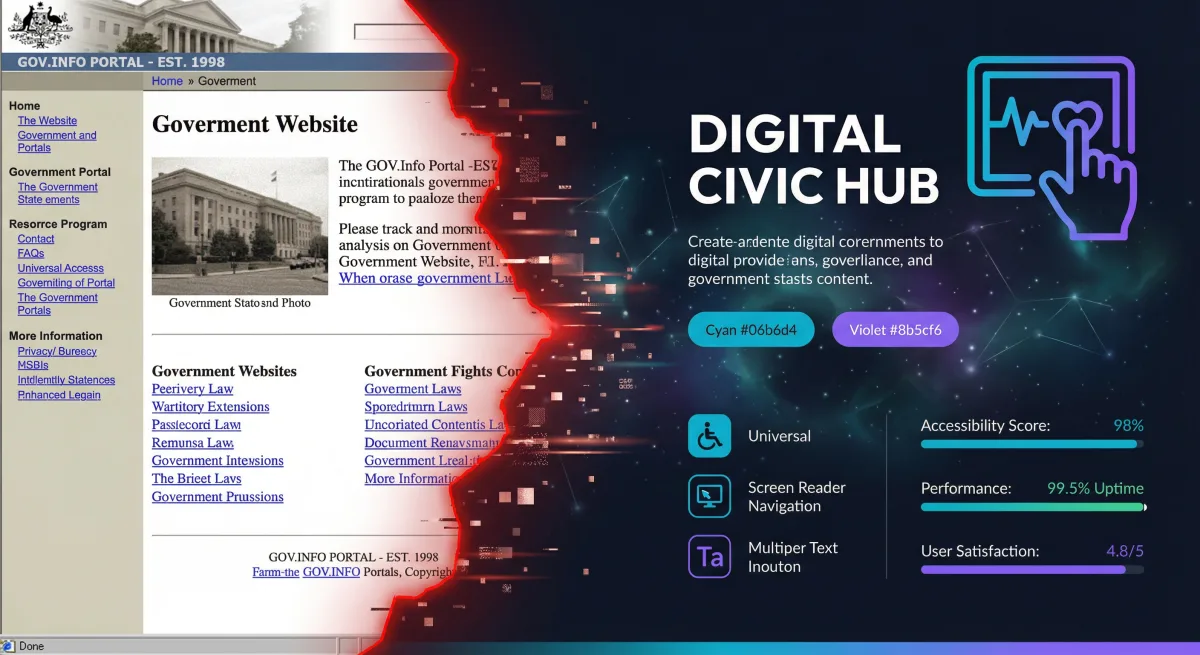
Federal agency websites serve hundreds of millions of Americans. They're how citizens access benefits, submit applications, check regulations, and interact with their government. And too many of them are built on technology from 2008.
Legacy government web systems — ColdFusion applications, Oracle-backed CMS platforms, server-rendered JSP pages behind hardware load balancers — still power critical public-facing services. They're slow, inaccessible, expensive to maintain, and vulnerable to attacks that modern frameworks prevent by default.
At Rutagon, we've modernized web platforms serving 10 million+ monthly visitors, replacing legacy stacks with React-based frontends, cloud-native backends, and fully 508-compliant interfaces. The result: sub-second page loads, WCAG 2.1 AA compliance, and operational costs that drop by 60-80% compared to the legacy systems they replace.
The Legacy Problem
Federal web systems accumulate technical debt faster than commercial systems for three reasons:
Long procurement cycles. By the time a system is authorized, procured, and deployed, the technology stack is already two generations behind. A system procured in 2018 might be built on Angular 6 and deployed on-premises — already legacy by deployment day.
Risk-averse culture. Government IT organizations default to proven (read: old) technologies. The irony is that "proven" technologies become the highest-risk choice when they lose community support, stop receiving security patches, and fall off vendor support matrices.
Contractor lock-in. Legacy systems are often maintained by the same contractor that built them, using proprietary frameworks and undocumented architectures. Modernization requires reverse-engineering the existing system before building the replacement.
Modern Architecture for Federal Websites
A modernized federal website looks nothing like its predecessor. The architecture leverages cloud-native services, static generation where possible, and dynamic rendering only where necessary.
Frontend: React with Static Generation
Modern federal websites use React (or Next.js) with static site generation (SSG) for content pages and server-side rendering (SSR) for dynamic functionality:
interface PageProps {
  content: CMSContent;
  navigation: NavigationItem[];
  lastUpdated: string;
}

export async function getStaticProps(): Promise<{ props: PageProps; revalidate: number }> {
  const content = await fetchCMSContent('benefits-overview');
  const navigation = await fetchNavigation();

  return {
    props: {
      content,
      navigation,
      lastUpdated: new Date().toISOString(),
    },
    revalidate: 300,
  };
}

export default function BenefitsPage({ content, navigation, lastUpdated }: PageProps) {
  return (
    <Layout navigation={navigation}>
      <main id="main-content" role="main">
        <USWDSBanner />
        <Breadcrumbs items={content.breadcrumbs} />
        <article aria-label={content.title}>
          <h1>{content.title}</h1>
          <ContentRenderer blocks={content.blocks} />
          <LastUpdated date={lastUpdated} />
        </article>
      </main>
    </Layout>
  );
}
Static generation means the HTML is built at deploy time and served from a CDN. Page load times drop from 3-8 seconds (typical for legacy server-rendered pages) to 200-400 milliseconds. The revalidate: 300 enables Incremental Static Regeneration — pages rebuild every 5 minutes without a full deployment.
USWDS Integration
The U.S. Web Design System (USWDS) is the federal standard for web design. We implement USWDS as React components, not as raw HTML templates:
interface AlertProps {
  type: 'info' | 'warning' | 'error' | 'success';
  heading: string;
  children: React.ReactNode;
  slim?: boolean;
}

function USWDSAlert({ type, heading, children, slim = false }: AlertProps) {
  return (
    <div
      className={`usa-alert usa-alert--${type} ${slim ? 'usa-alert--slim' : ''}`}
      role="alert"
    >
      <div className="usa-alert__body">
        {heading && (
          <h2 className="usa-alert__heading">{heading}</h2>
        )}
        <div className="usa-alert__text">{children}</div>
      </div>
    </div>
  );
}
Component-based USWDS implementation ensures consistent design system compliance across the entire site. When USWDS releases updates, the component library updates once and the entire site inherits the changes.
Backend: Headless CMS with API Gateway
Content management shifts from monolithic CMS platforms to headless architectures. Content editors use a familiar CMS interface; the frontend consumes content via API:
┌──────────────┐     ┌──────────────┐     ┌──────────────┐
│   Content    │────▶│     API      │────▶│   Static     │
│   Editors    │     │   Gateway    │     │  Generation  │
│  (CMS UI)    │     │  (Lambda)    │     │  (CDN/S3)    │
└──────────────┘     └──────────────┘     └──────────────┘
                            │
                     ┌──────▼──────┐
                     │  Content    │
                     │  Database   │
                     │ (DynamoDB)  │
                     └─────────────┘
This separation means the public-facing website has no database connection, no CMS vulnerabilities, and no server to compromise. The attack surface is a CDN serving static files — the smallest possible target.
Performance Optimization
Federal websites serve diverse audiences: rural communities on slow connections, mobile users on government-issued devices, accessibility technology users, and international visitors. Performance isn't optimization — it's accessibility.
Core Web Vitals Targets
We target aggressive Core Web Vitals for federal sites:
| Metric | Target | Legacy Typical |
|---|---|---|
| Largest Contentful Paint (LCP) | < 1.2s | 4-8s |
| First Input Delay (FID) | < 50ms | 200-500ms |
| Cumulative Layout Shift (CLS) | < 0.05 | 0.3-0.8 |
| Time to First Byte (TTFB) | < 200ms | 1-3s |
CDN and Edge Optimization
CloudFront distributions with Origin Shield reduce origin requests by 90%+. Static assets are served from edge locations within 50ms of any U.S. location:
resource "aws_cloudfront_distribution" "website" {
  enabled             = true
  default_root_object = "index.html"
  http_version        = "http2and3"
  price_class         = "PriceClass_100"

  origin {
    domain_name = aws_s3_bucket.website.bucket_regional_domain_name
    origin_id   = "s3-website"

    origin_shield {
      enabled              = true
      origin_shield_region = "us-east-1"
    }

    s3_origin_config {
      origin_access_identity = aws_cloudfront_origin_access_identity.website.cloudfront_access_identity_path
    }
  }

  default_cache_behavior {
    allowed_methods  = ["GET", "HEAD", "OPTIONS"]
    cached_methods   = ["GET", "HEAD"]
    target_origin_id = "s3-website"

    compress = true

    forwarded_values {
      query_string = false
      cookies {
        forward = "none"
      }
    }

    viewer_protocol_policy = "redirect-to-https"
    min_ttl                = 0
    default_ttl            = 86400
    max_ttl                = 31536000
  }

  custom_error_response {
    error_code         = 404
    response_code      = 404
    response_page_path = "/404.html"
  }

  restrictions {
    geo_restriction {
      restriction_type = "none"
    }
  }

  viewer_certificate {
    acm_certificate_arn      = aws_acm_certificate.website.arn
    ssl_support_method       = "sni-only"
    minimum_protocol_version = "TLSv1.2_2021"
  }
}
HTTP/3 support, Brotli compression, and aggressive caching combine to deliver sub-second page loads even on slow connections.
Image Optimization
Images are the largest performance bottleneck on content-heavy federal sites. We implement automated image optimization:
- WebP/AVIF generation — Modern formats reduce file sizes by 25-50% over JPEG/PNG
- Responsive srcsets — Multiple resolutions served based on viewport width
- Lazy loading — Images below the fold load on scroll, not on page load
- Blur-up placeholders — Low-resolution placeholders prevent layout shift during image load
Section 508 and WCAG 2.1 Compliance
Federal websites must comply with Section 508, which adopts WCAG 2.1 Level AA. This isn't optional — it's law. Our approach to 508 compliance goes beyond passing automated scans.
Automated Testing in CI/CD
Every pull request runs automated accessibility tests:
import { axe, toHaveNoViolations } from 'jest-axe';
import { render } from '@testing-library/react';

expect.extend(toHaveNoViolations);

describe('BenefitsPage accessibility', () => {
  it('has no accessibility violations', async () => {
    const { container } = render(
      <BenefitsPage
        content={mockContent}
        navigation={mockNavigation}
        lastUpdated="2026-03-01"
      />
    );

    const results = await axe(container);
    expect(results).toHaveNoViolations();
  });

  it('has proper heading hierarchy', () => {
    const { container } = render(
      <BenefitsPage
        content={mockContent}
        navigation={mockNavigation}
        lastUpdated="2026-03-01"
      />
    );

    const headings = container.querySelectorAll('h1, h2, h3, h4, h5, h6');
    let lastLevel = 0;

    headings.forEach((heading) => {
      const level = parseInt(heading.tagName[1]);
      expect(level).toBeLessThanOrEqual(lastLevel + 1);
      lastLevel = level;
    });
  });
});
Automated testing catches approximately 30-40% of accessibility issues. The remaining 60-70% require manual testing with screen readers (NVDA, JAWS, VoiceOver), keyboard-only navigation, and cognitive accessibility review.
Accessibility Beyond Compliance
True accessibility goes beyond WCAG checkboxes:
- Plain language — Content written at 6th-8th grade reading level per the Plain Writing Act
- Cognitive load reduction — Progressive disclosure, clear navigation, consistent layouts
- Motor accessibility — Large click targets (minimum 44x44px), adequate spacing, no time-limited interactions
- Color independence — Information never conveyed by color alone
- Reduced motion — Respect
prefers-reduced-motionmedia queries
Security Architecture
Federal websites are high-value targets. A defacement or data breach on a .gov site is a national news story. The security architecture must account for:
Defense in Depth
Internet → WAF → CloudFront → S3 (static) / ALB → Lambda (dynamic)
                     ↓
              Shield Advanced
(DDoS protection)- AWS WAF — SQL injection, XSS, and bot protection with managed rule groups
- Shield Advanced — DDoS mitigation with 24/7 AWS support team engagement
- Content Security Policy — Strict CSP headers prevent unauthorized script execution
- HSTS — HTTP Strict Transport Security with preload
- Subresource Integrity — Hash-based verification of external scripts and stylesheets
Zero-Trust Content Delivery
The static site architecture is inherently more secure than traditional CMS-based sites. There's no admin panel to compromise, no database to inject, no server to penetrate. The only writable surface is the S3 bucket, protected by IAM policies that restrict write access to the CI/CD pipeline's OIDC-federated role.
Cost Comparison
The operational cost difference between legacy and modern architectures is dramatic:
| Component | Legacy | Modern |
|---|---|---|
| Compute | 4x EC2 instances (24/7) | CloudFront + S3 (pay per request) |
| Database | RDS Multi-AZ | DynamoDB on-demand (CMS only) |
| CMS | Licensed CMS ($50K+/year) | Headless CMS (open source or SaaS) |
| CDN | Hardware load balancers | CloudFront (included) |
| SSL | Manual certificate management | ACM (free, auto-renewal) |
| Maintenance | Patching, updates, monitoring | Managed services (minimal ops) |
| Monthly cost | $8,000-15,000 | $500-2,000 |
For a site serving 10 million monthly page views, the modern architecture costs roughly $1,200/month — including CloudFront data transfer, S3 storage, Lambda invocations for dynamic features, and DynamoDB for the CMS. The legacy equivalent typically runs $10,000-15,000/month for EC2 instances, RDS, and licensed software.
Migration Strategy
We don't recommend big-bang migrations. Legacy federal websites are replaced incrementally:
- Standup modern infrastructure — CloudFront, S3, CI/CD pipeline
- Migrate static content first — About pages, contact pages, policies
- Build component library — USWDS React components matching existing design
- Migrate section by section — Use CloudFront behaviors to route specific paths to the new origin
- Sunset legacy — When all paths route to the modern origin, decommission legacy infrastructure
This approach eliminates the risk of a failed migration. At any point, traffic can be routed back to the legacy system. Users never experience downtime, and the migration can proceed at whatever pace the agency's change management process allows.
High Availability
Federal websites can't go down. The architecture achieves high availability through the same patterns we use for mission-critical systems:
- Multi-region S3 replication — Content is replicated to a secondary region
- CloudFront global edge network — Requests are served from the nearest edge location
- Route 53 health checks — Automatic failover to the secondary region if the primary becomes unavailable
- 99.99% uptime SLA — CloudFront's SLA exceeds most federal availability requirements
How long does a federal website modernization take?
Timeline depends on the size and complexity of the existing site. A content-focused site with 500-1,000 pages typically takes 4-6 months for full migration. Larger sites with dynamic functionality, user authentication, or complex integrations may take 8-12 months. Incremental migration reduces risk by delivering value in phases rather than a single cutover.
Will the modernized site look different to users?
The visual design can remain identical, change incrementally, or undergo a complete redesign — it's an independent decision from the technology migration. Most agencies choose to adopt USWDS during modernization, which provides a consistent, accessible, and mobile-responsive design that aligns with federal standards.
How do you handle content migration from legacy CMS platforms?
We build automated migration scripts that extract content from the legacy CMS (including metadata, images, and relationships), transform it into the headless CMS schema, and validate the output against the original. Manual review focuses on content that automated migration can't handle perfectly — complex layouts, embedded media, and interactive elements.
What about dynamic features like forms and search?
Dynamic features are implemented as serverless functions (Lambda) behind API Gateway. Search uses OpenSearch or Algolia, depending on the agency's requirements. Forms use validated React components with server-side processing for data integrity. These dynamic components integrate seamlessly with the static site architecture.
How does the modernized architecture handle traffic spikes?
CloudFront and S3 scale automatically to handle any traffic volume. A static site served from a CDN can handle millions of concurrent users without performance degradation — there's no application server to bottleneck. During high-traffic events (tax season, benefit enrollment periods, emergency communications), the architecture scales transparently with no manual intervention.
Discuss your project with Rutagon
Contact Us →