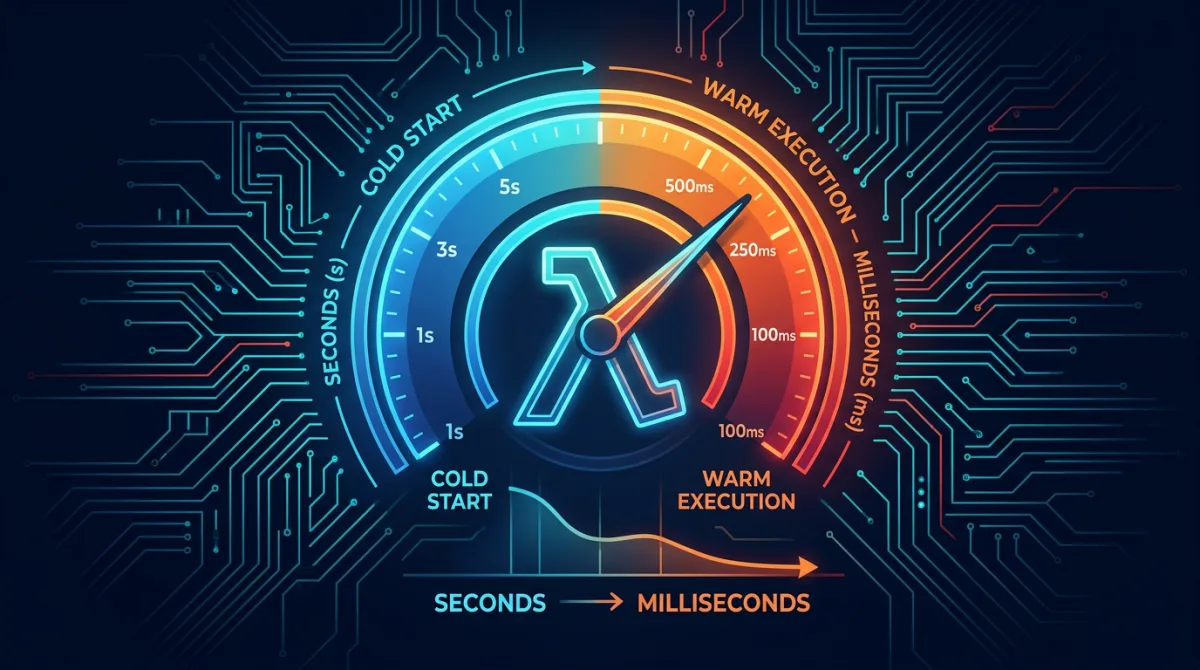
Lambda cold start optimization is a critical concern for latency-sensitive government applications. When a citizen submits a form on a federal portal, or an operator queries a real-time defense dashboard, an extra two seconds of latency from a cold start isn't just annoying — it degrades mission outcomes and erodes trust in government digital services. Rutagon builds serverless architectures where cold starts are either eliminated entirely or reduced to the point of invisibility.
This article covers the full optimization stack: understanding what causes cold starts, provisioned concurrency for guaranteed performance, SnapStart for JVM workloads, architectural patterns that minimize cold start impact, and the monitoring approach that keeps latency in check across production government systems.
Anatomy of a Lambda Cold Start
A cold start occurs when AWS provisions a new execution environment for a Lambda function. The sequence:
- Environment provisioning (~100-400ms): AWS allocates compute, networking, and storage for the new environment.
- Runtime initialization (~50-200ms): The runtime (Python, Node.js, Java) starts up.
- Handler initialization (~50ms to 10+ seconds): Your code outside the handler function runs — imports, database connections, SDK client creation.
Phase three is where most cold start latency hides. A Python function importing boto3, pandas, and a database ORM can spend 2-3 seconds in initialization. A Java Spring Boot function can take 8-10 seconds.
# Everything outside the handler runs during cold start
import boto3
import json
from myapp.database import get_connection
from myapp.auth import validate_token

# These execute ONCE during initialization
ssm = boto3.client("ssm")
db = get_connection()
config = json.loads(
    ssm.get_parameter(Name="/prod/api/config", WithDecryption=True)["Parameter"]["Value"]
)

def handler(event, context):
    # This runs on every invocation — fast path
    token = event["headers"].get("Authorization")
    validate_token(token)
    return db.query(event["queryStringParameters"]["id"])
The initialization code runs once per execution environment, not once per invocation. Subsequent "warm" invocations reuse the existing environment and skip straight to the handler. The optimization challenge is minimizing the frequency and duration of cold starts.
Provisioned Concurrency: Guaranteed Warm Environments
Provisioned concurrency pre-initializes a specified number of execution environments that are always ready to handle requests. There's no cold start — the initialization code has already run.
Configuration with Terraform
resource "aws_lambda_function" "api_handler" {
  function_name = "government-portal-api"
  runtime       = "python3.12"
  handler       = "main.handler"
  memory_size   = 1024
  timeout       = 30

  filename         = data.archive_file.lambda_zip.output_path
  source_code_hash = data.archive_file.lambda_zip.output_base64sha256

  role = aws_iam_role.lambda_execution.arn

  environment {
    variables = {
      ENVIRONMENT    = "production"
      POWERTOOLS_LOG = "INFO"
    }
  }
}

resource "aws_lambda_alias" "production" {
  name             = "production"
  function_name    = aws_lambda_function.api_handler.function_name
  function_version = aws_lambda_function.api_handler.version
}

resource "aws_lambda_provisioned_concurrency_config" "api" {
  function_name                  = aws_lambda_function.api_handler.function_name
  qualifier                      = aws_lambda_alias.production.name
  provisioned_concurrent_executions = 10
}
Scheduled Scaling for Predictable Traffic
Government portals have predictable traffic patterns — weekday business hours peak, nights and weekends trough. Application Auto Scaling adjusts provisioned concurrency to match:
resource "aws_appautoscaling_target" "lambda_target" {
  max_capacity       = 50
  min_capacity       = 5
  resource_id        = "function:${aws_lambda_function.api_handler.function_name}:${aws_lambda_alias.production.name}"
  scalable_dimension = "lambda:function:ProvisionedConcurrency"
  service_namespace  = "lambda"
}

resource "aws_appautoscaling_scheduled_action" "weekday_peak" {
  name               = "weekday-peak"
  service_namespace  = aws_appautoscaling_target.lambda_target.service_namespace
  resource_id        = aws_appautoscaling_target.lambda_target.resource_id
  scalable_dimension = aws_appautoscaling_target.lambda_target.scalable_dimension

  schedule = "cron(0 13 ? * MON-FRI *)"  # 8 AM ET

  scalable_target_action {
    min_capacity = 20
    max_capacity = 50
  }
}

resource "aws_appautoscaling_scheduled_action" "evening_trough" {
  name               = "evening-trough"
  service_namespace  = aws_appautoscaling_target.lambda_target.service_namespace
  resource_id        = aws_appautoscaling_target.lambda_target.resource_id
  scalable_dimension = aws_appautoscaling_target.lambda_target.scalable_dimension

  schedule = "cron(0 1 ? * * *)"  # 8 PM ET

  scalable_target_action {
    min_capacity = 5
    max_capacity = 15
  }
}
This approach reduces serverless costs by 40-60% compared to flat provisioned concurrency while maintaining sub-100ms response times during business hours.
SnapStart for JVM-Based Functions
Java Lambda functions suffer the worst cold starts — 5-10 seconds is common with frameworks like Spring Boot or Micronaut. Lambda SnapStart takes a Firecracker microVM snapshot after initialization and restores from that snapshot for new environments, reducing cold starts to under 200ms:
# SAM template with SnapStart
Resources:
  JavaApiFunction:
    Type: AWS::Serverless::Function
    Properties:
      Handler: com.rutagon.api.Handler::handleRequest
      Runtime: java21
      MemorySize: 2048
      SnapStart:
        ApplyOn: PublishedVersions
      AutoPublishAlias: production
      Environment:
        Variables:
          SPRING_PROFILES_ACTIVE: production
SnapStart Considerations
SnapStart snapshots include the full heap state, which means:
- Connection pools established during init may hold stale connections after restore. Use connection validation on checkout.
- Random number generators initialized during init may produce predictable sequences after restore. Reinitialize in the handler or use
CRaCResourcehooks. - Cached timestamps from init time are stale. Refresh time-dependent values in the handler.
import org.crac.Context;
import org.crac.Core;
import org.crac.Resource;

public class Handler implements RequestHandler<APIGatewayProxyRequestEvent, APIGatewayProxyResponseEvent>, Resource {

    private HikariDataSource dataSource;

    public Handler() {
        Core.getGlobalContext().register(this);
        this.dataSource = initializeDataSource();
    }

    @Override
    public void afterRestore(Context<? extends Resource> context) {
        // Refresh connections after snapshot restore
        this.dataSource.getHikariPoolMXBean().softEvictConnections();
    }
}
Architectural Patterns for Cold Start Reduction
Beyond provisioned concurrency and SnapStart, architectural decisions — as the AWS Well-Architected Serverless Applications Lens emphasizes — have the largest impact on cold start severity.
Minimize Package Size
Every megabyte of deployment package adds cold start latency. Lambda loads the package from S3 into the execution environment during provisioning:
# requirements.txt — production dependencies only
boto3==1.34.0          # AWS SDK (usually pre-installed, but pin for consistency)
pydantic==2.6.0        # Validation without heavy ORM
httpx==0.27.0          # Lightweight HTTP client

# NOT these:
# pandas==2.2.0        # 150MB+ — use Lambda Layers or process elsewhere
# numpy==1.26.0        # 60MB+ — heavy for simple API handlers
# sqlalchemy==2.0.0    # Use lighter database clients when possible
For Python, we use Lambda Layers to share heavy dependencies across functions and exclude test dependencies from production packages. The build pipeline strips .pyc files and test directories:
pip install -r requirements.txt -t package/ --no-cache-dir
find package/ -type d -name "__pycache__" -exec rm -rf {} +
find package/ -type d -name "tests" -exec rm -rf {} +
find package/ -name "*.dist-info" -exec rm -rf {} +
Split Functions by Latency Sensitivity
Not every endpoint needs sub-100ms cold starts. We architect Lambda functions along latency boundaries:
- Hot path (provisioned concurrency): Authentication, search, real-time queries — functions citizens interact with directly.
- Warm path (standard Lambda): Background processing, webhook handlers, batch operations — functions where 1-2 second cold starts are acceptable.
- Cold path (large memory, infrequent): Report generation, data exports, ETL jobs — functions that run minutes and where cold start is negligible relative to execution time.
This mirrors the serverless API patterns we deploy with API Gateway, where each route maps to a function optimized for its latency requirements.
Keep Functions Warm with EventBridge
For functions that don't justify provisioned concurrency cost but need occasional warm starts, scheduled EventBridge rules prevent environment reclamation:
resource "aws_cloudwatch_event_rule" "warmup" {
  name                = "lambda-warmup"
  schedule_expression = "rate(5 minutes)"
}

resource "aws_cloudwatch_event_target" "warmup_target" {
  rule = aws_cloudwatch_event_rule.warmup.name
  arn  = aws_lambda_function.api_handler.arn

  input = jsonencode({ warmup = true })
}
def handler(event, context):
if event.get("warmup"):
return {"statusCode": 200, "body": "warm"}
# Normal handler logicThis is a cost-effective middle ground — a few cents per month for scheduled invocations versus dollars per month for provisioned concurrency.
Monitoring Cold Start Impact
We track cold starts as a first-class metric using Lambda Powertools and CloudWatch embedded metrics:
from aws_lambda_powertools import Logger, Metrics
from aws_lambda_powertools.metrics import MetricUnit

logger = Logger()
metrics = Metrics()

@metrics.log_metrics(capture_cold_start_metric=True)
@logger.inject_lambda_context(log_event=True)
def handler(event, context):
    metrics.add_metric(name="Invocations", unit=MetricUnit.Count, value=1)
    # handler logic
The capture_cold_start_metric flag automatically emits a ColdStart metric on the first invocation per environment. Combined with our observability stack, we build dashboards showing cold start percentage, P99 latency including cold starts, and provisioned concurrency utilization.
CloudWatch alarms trigger when cold start percentage exceeds thresholds:
- Warning at 5%: Indicates provisioned concurrency may need scaling up.
- Critical at 15%: Triggers auto-scaling adjustment or pager alert for investigation.
These thresholds are tuned per function based on latency requirements — a real-time query function gets tighter thresholds than a batch processor. This level of operational rigor is part of how we deliver production systems under our cloud infrastructure practice.
Frequently Asked Questions
How much does provisioned concurrency cost compared to on-demand Lambda?
Provisioned concurrency costs approximately $0.0000041667 per GB-second of provisioned capacity, plus the standard per-request and duration charges when invoked. For a 1024MB function provisioned at 10 concurrent environments, the base cost is roughly $108/month. This is cost-effective when cold start elimination is a requirement — the alternative (over-provisioning traditional compute) costs significantly more.
Can you use both SnapStart and provisioned concurrency?
Yes, and for Java functions they complement each other. SnapStart reduces the initialization snapshot restore time to under 200ms, and provisioned concurrency keeps those fast-starting environments always warm. Without SnapStart, provisioned concurrency on Java functions still requires the full 5-10 second initialization — it just happens ahead of time rather than at request time.
What runtime has the fastest cold starts?
Python and Node.js consistently deliver the fastest cold starts — typically 200-500ms for moderately sized packages. Go and Rust compiled binaries are even faster at 50-150ms since there's no runtime initialization. Java and .NET have the slowest cold starts (2-10 seconds) without SnapStart. For latency-critical government APIs, we recommend Python with Powertools or Go for the best cold start profile.
How do VPC-attached Lambda functions affect cold starts?
VPC-attached Lambda functions previously added 10+ seconds to cold starts while provisioning elastic network interfaces. Since AWS introduced Hyperplane ENI caching, VPC cold start overhead dropped to approximately 1 second for the first function and negligible for subsequent functions sharing the same security group and subnet combination. Provisioned concurrency eliminates this overhead entirely since ENIs are pre-attached.
Does increasing Lambda memory reduce cold starts?
Yes — Lambda allocates CPU proportionally to memory. A function with 1024MB memory gets roughly 0.5 vCPU, while 1769MB gets a full vCPU. More CPU means faster package loading and initialization. For cold-start-sensitive functions, we often allocate 1024-2048MB even when the function's memory usage is low, because the CPU improvement reduces initialization time by 30-50%.
Discuss your project with Rutagon
Contact Us →