Construction companies run on spreadsheets, text messages, and filing cabinets. Project timelines live in someone's head. Change orders are tracked in email threads. Subcontractor schedules are managed by phone. And when the owner wants to know the status of a project, they call the superintendent who calls the foreman who texts back an hour later.
This isn't a technology problem — it's a competitive disadvantage. The construction companies that are winning bigger contracts, running tighter margins, and scaling operations are the ones that replaced manual processes with purpose-built software. Not generic SaaS tools that half-fit. Custom software built for how they actually operate.
The Limits of Off-the-Shelf Software
Construction companies have tried the SaaS tools. Procore, Buildertrend, CoConstruct, Monday.com — they all promise to solve construction management. And they work, sort of. But they share common limitations:
They're built for the average company, not yours. Your estimating process, your subcontractor management workflow, your client communication cadence — these are specific to your business. Generic tools force you to adapt your operations to the software instead of the other way around.
They charge per user, and construction has a lot of users. Project managers, superintendents, foremen, subcontractors, inspectors, clients — the per-seat model makes it expensive to give everyone access, so you end up with half the team using the system and half using text messages.
They don't integrate with your existing tools. Your accounting runs on QuickBooks or Sage. Your estimating uses custom spreadsheets with years of historical data. Your permit tracking is a shared Google Sheet. Generic SaaS tools don't connect to all of these — so you end up with multiple disconnected systems.
They include features you don't need and miss features you do. You're paying for CRM functionality you'll never use while the subcontractor payment tracking you actually need doesn't exist.
What Custom Software Looks Like for Construction
Custom software for construction companies isn't a million-dollar ERP system. It's a focused set of tools built around your actual workflows:
Project Dashboards
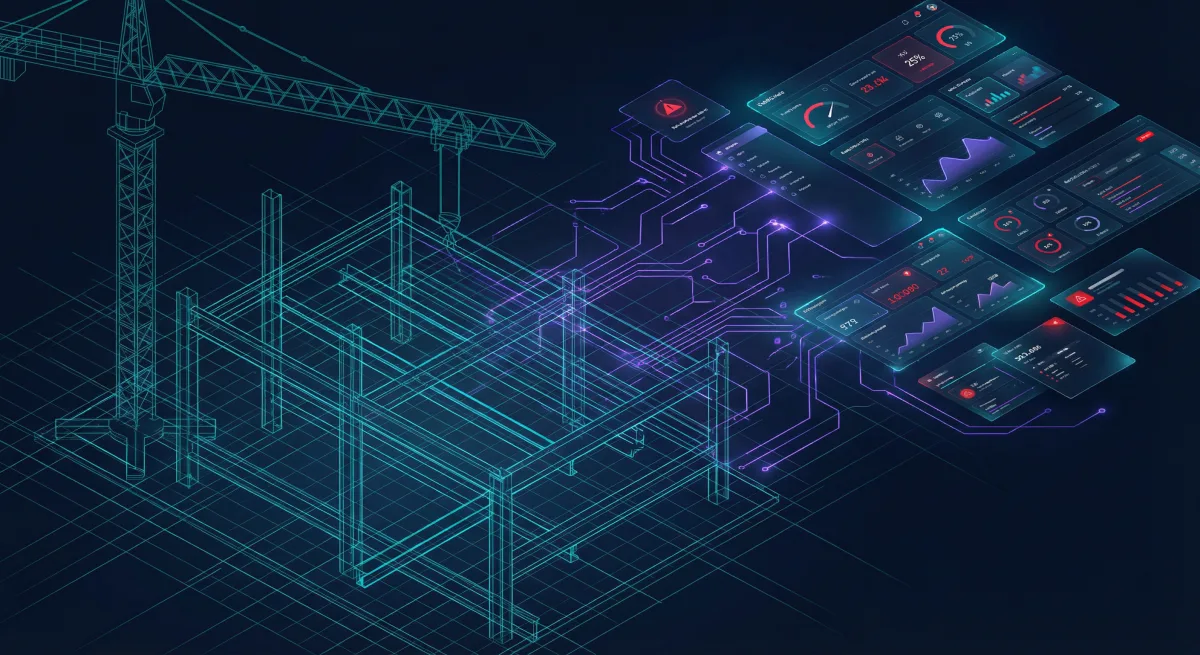
Every project has a heartbeat — budget burn rate, schedule progress, change order status, inspection results, RFI counts. A custom project dashboard puts this information in one place, updated in real-time:
┌─────────────────────────────────────────────────────────────┐
│ Riverside Office Complex - Phase 2                           │
├──────────────┬──────────────┬──────────────┬────────────────┤
│ Budget       │ Schedule     │ Change Orders│ Safety         │
│ ████████░░   │ ████████░░   │ 3 Pending    │ 47 Days        │
│ 78% Used     │ 82% Complete │ $24,500      │ No Incidents   │
├──────────────┴──────────────┴──────────────┴────────────────┤
│ Active RFIs: 5  │  Open Submittals: 3  │  Inspections: 2   │
├─────────────────────────────────────────────────────────────┤
│ Recent Activity                                              │
│ • Framing inspection passed - Building C (2 hrs ago)        │
│ • CO #14 submitted - Electrical upgrade ($8,200) (Today)    │
│ • Concrete pour completed - Building A foundation (Yesterday)│
└─────────────────────────────────────────────────────────────┘
The dashboard isn't a report that someone generates weekly. It's a live view that project managers, superintendents, and company owners access from their phone, tablet, or desktop. When the owner wants to know how a project is doing, they open the dashboard — no phone calls, no waiting.
Client Portals
Construction clients — especially commercial and residential clients — want visibility into their project. They want to see progress photos, understand the schedule, review change orders, and know when their next decision is needed.
A custom client portal provides:
- Progress photos organized by date and building section, with annotations
- Schedule view showing milestones, current phase, and upcoming work
- Change order management — clients review, approve, or question change orders directly in the portal
- Document sharing — contracts, plans, permits, and inspection reports in one place
- Communication log — all project communications archived and searchable
- Payment history — invoice status and payment schedule
The client portal eliminates the most time-consuming part of client management: answering the same status questions repeatedly. Clients check the portal instead of calling the project manager, and the project manager spends that time managing the project.
Scheduling and Resource Management
Construction scheduling has unique requirements that generic project management tools don't handle well:
- Weather dependencies — Concrete pours, painting, and roofing can't happen in rain
- Trade sequencing — Electrical rough-in must complete before drywall, which must complete before paint
- Resource sharing — The same crane operator works across three projects
- Inspector availability — Inspections must be scheduled with the jurisdiction, and failed inspections reschedule everything downstream
- Material lead times — Custom windows ordered 12 weeks ago arrive on Tuesday and must be installed by Thursday before the GC arrives
Custom scheduling software models these real-world constraints. It shows the superintendent what's actually possible this week given weather forecasts, inspector availability, and crew assignments — not what a Gantt chart says should happen.
Field Reporting
Daily field reports are the paper trail of construction. They document who was on site, what work was performed, what materials were used, and any issues encountered. Most companies still do this on paper or in clunky apps that take 30 minutes to complete.
Custom field reporting is built for a superintendent standing in a muddy field with work gloves on:
- Large touch targets for gloved hands
- Photo capture with automatic GPS tagging and project association
- Voice-to-text for notes and observations
- Offline mode for sites without cell coverage
- Pre-populated fields — crew members, weather, and active tasks auto-fill
- 5-minute completion — the daily report should take less time than the drive home
The field report data feeds directly into the project dashboard, updating progress percentages, labor hours, and material usage in real-time.
Estimating and Bid Management
Construction estimating is part science, part art, and part tribal knowledge. Custom estimating tools capture the tribal knowledge:
- Historical cost databases built from your actual project costs, not national averages
- Adjustable markup calculations based on project type, client, and risk level
- Subcontractor bid comparison with standardized scope breakdowns
- Material price tracking with automatic updates from supplier feeds
- Bid/no-bid scoring based on project fit, competition, and capacity
An estimator using custom software produces more accurate estimates in less time because the system incorporates your company's actual cost history — not generic RSMeans data that doesn't reflect your market, your crews, or your subcontractor relationships.
How Custom Software Gets Built
Building custom software for construction doesn't mean a two-year development project with a seven-figure budget. Modern development approaches deliver value incrementally:
Phase 1: Core Dashboard (4-6 weeks)
Start with the project dashboard. It connects to your existing data sources — QuickBooks for financials, your scheduling tool for timelines, email for RFIs — and puts everything in one view. Immediate value, minimal disruption.
Phase 2: Client Portal (4-6 weeks)
Add the client-facing portal. Progress photos, schedule visibility, document sharing. This directly reduces the time project managers spend on client communication and positions your company as technologically sophisticated.
Phase 3: Field Reporting (4-6 weeks)
Replace paper daily reports with the mobile app. This creates the data pipeline that feeds everything else — real-time project progress, labor tracking, and material usage.
Phase 4: Advanced Features (ongoing)
Estimating tools, subcontractor management, equipment tracking, safety incident reporting — each built when the business needs it, based on actual usage patterns from the earlier phases.
Each phase delivers a working product. You're not waiting 18 months for software that might not fit. You're using software within the first month, and each subsequent phase is informed by how your team actually uses the system.
The Competitive Advantage
Construction is a relationship business, but relationships don't scale. The superintendent who keeps everything in their head can manage 3-4 projects. Custom software extends that capability to 8-10 projects per superintendent — not by replacing the superintendent's judgment, but by eliminating the time they spend on information gathering, status reporting, and communication routing.
Companies that invest in custom software see measurable improvements:
- 30-40% reduction in administrative time — Less time on reports and status updates
- 15-20% improvement in estimate accuracy — Historical data replaces guesswork
- Faster client decisions — Change orders approved in days instead of weeks
- Reduced rework — Better communication means fewer misunderstandings
- Higher client satisfaction — Transparency builds trust and generates referrals
The construction companies that will dominate the next decade aren't the ones with the lowest bids — they're the ones that operate most efficiently. Custom software is how you get there.
Why Rutagon
Rutagon builds software for companies that operate in complex, regulated environments. Construction — with its inspections, permits, safety regulations, insurance requirements, and multi-party coordination — is a natural fit. We understand that your software needs to work on a job site at 6 AM, not just in a conference room demo.
Our approach to full-stack development applies the same engineering rigor we use for defense and government systems to commercial software: reliable, secure, and built to last. We don't build throwaway prototypes. We build production systems that your business depends on.
From our experience building professional web platforms across multiple industries, we know that the best software is built by people who understand your business — not just the technology.
How much does custom construction software cost?
Custom software costs vary based on scope, but a phased approach starts delivering value at $25,000-50,000 for the initial dashboard phase. Subsequent phases add functionality incrementally, so you're never committing to a massive upfront investment. The ROI typically manifests within 3-6 months through reduced administrative time, faster client approvals, and improved estimate accuracy.
Can custom software integrate with QuickBooks and other existing tools?
Yes. Modern custom software is built with API integrations in mind. We routinely integrate with QuickBooks, Sage, Google Workspace, Microsoft 365, scheduling tools, and other business systems. The goal is to connect your existing tools into a unified workflow, not replace everything at once.
How long does it take to build custom construction software?
The first usable product — typically a project dashboard — is delivered in 4-6 weeks. Additional features (client portal, field reporting, estimating tools) are added in subsequent 4-6 week phases. You're using working software within the first month, and development continues based on your feedback and priorities.
What happens if we need changes after the software is built?
Custom software is designed to evolve. Unlike template platforms where you're stuck with what they offer, custom software adapts to your changing needs. New features, workflow modifications, and integrations are added through the same development process. The codebase is yours — you're not locked into any vendor.
Do our field crews need to be tech-savvy to use this?
No. Field-facing software is designed for superintendents and foremen, not IT professionals. Large buttons, simple workflows, voice-to-text input, and offline capability make the tools usable for anyone who can use a smartphone. We test with actual field crews during development to ensure the software works in real job site conditions.
Discuss your project with Rutagon
Contact Us →