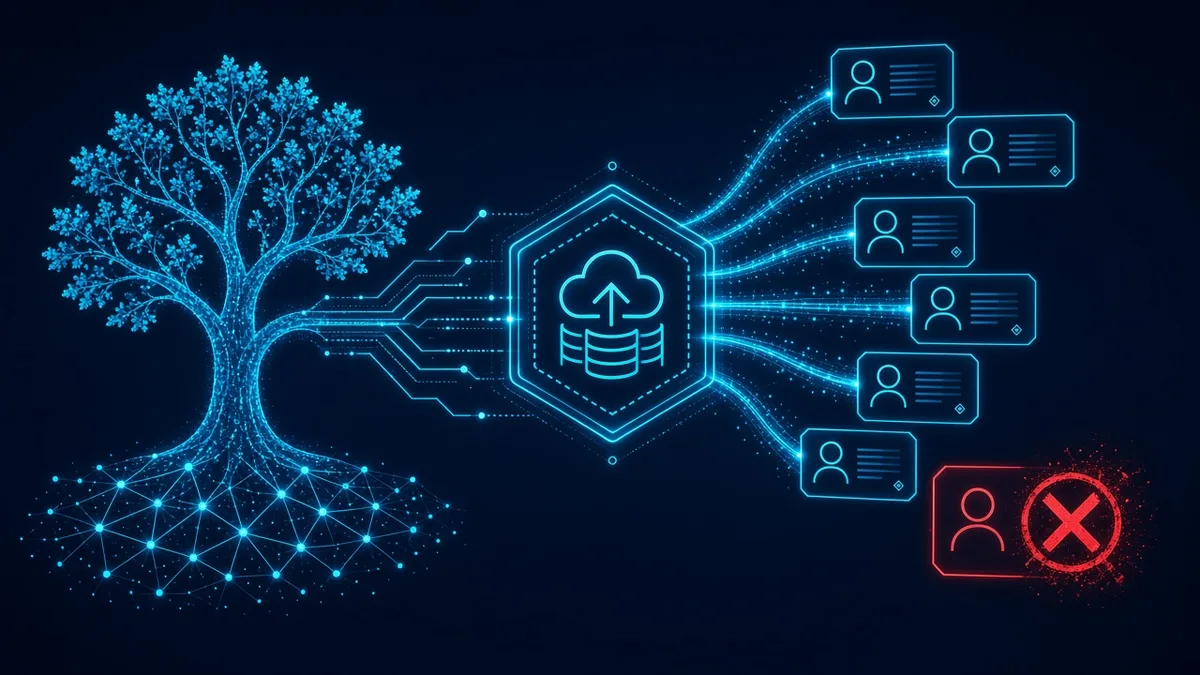
AWS Organizations backup policies are how a new account gets a recovery point without someone remembering to click through AWS Backup. You attach a backup policy to an organizational unit. Accounts under that unit inherit an effective policy. AWS Backup turns the effective policy into a plan the member account can see and cannot freely rewrite. The plan only succeeds when the vault and the IAM role already exist in that account. Inheritance of a JSON document is not inheritance of a backup. Rutagon builds the policy and the prerequisites together so the first recovery point appears in the new account, not a failed job the security team finds later.
The buyer is a platform owner who is tired of a backup standard that lives in a wiki. A new account is vended, workloads land, and backups start only if the application team read the wiki. The policy is the standard. The multi-account setup is the tree the policy hangs on. This article is the backup plan that tree should push down.
What the effective policy has to contain
AWS describes the mechanism in the backup policies documentation. A policy is a JSON document you can attach to the root, to an OU, or to an account. Organizations merges what is inherited with what is attached, and the result is the effective policy for that account. AWS Backup only runs a successful backup when the effective policy is complete. A partial policy is allowed as a way to share defaults, and it is also how you get resources that are not backed up. If the merge is missing a required element, AWS Backup treats the policy as not valid and does not back up the affected resources. We prefer a policy that is complete at the OU where the account lands. Clever partials across five levels are how a new account inherits a plan that cannot run.
The syntax page lists what complete means. Rules need a schedule and a target vault name. Regions need to name where AWS Backup should look. Selections need an IAM role and a way to find resources, by tag or by resource type. The role has to exist before the first plan is created. The vault has to exist in each Region the policy names, in each account that receives the policy. The docs recommend creating those vaults and roles with a stack set so a new account does not depend on a ticket. We do that. A policy that points at a vault named in a diagram, with no vault in the account, produces errors, not recovery points.
The plan that lands in the member account is immutable from that account's point of view. People in the account can see it. They do not get to edit it into a weaker schedule. They can still add backup plan tags through the tag APIs. They cannot quietly delete the rule that protects the tagged resources. That is the point of pushing the plan from the organization instead of asking every account to copy a template and keep it.
{
  "plans": {
    "daily": {
      "regions": { "@@assign": ["us-east-1"] },
      "rules": {
        "daily": {
          "schedule_expression": { "@@assign": "cron(0 5 ? * * *)" },
          "target_backup_vault_name": { "@@assign": "workload" },
          "lifecycle": { "delete_after_days": { "@@assign": "35" } }
        }
      },
      "selections": {
        "tags": {
          "tagged": {
            "iam_role_arn": { "@@assign": "arn:aws:iam::$account:role/backup" },
            "tag_key": { "@@assign": "backup" },
            "tag_value": { "@@assign": ["daily"] }
          }
        }
      }
    }
  }
}
The snippet is a complete-enough shape for one Region and one tag, using the inheritance operator and the $account placeholder the syntax allows on the role. It is not your production policy. Yours names the Regions you run, the vault that exists, and the tag your platform actually applies at account vend. A child policy can override a parent with @@assign at the same level. We use that on purpose for a production OU that needs a tighter schedule, and we avoid it by accident. An override that drops the selection is how production "inherits" a plan that backs up nothing.
AWS Organizations backup policies and the first recovery point
The recovery point is the proof the policy worked. A job that failed because the role was missing is not a recovery point. A job that succeeded into the vault named in the rule is. We watch the first backup job in a new account and store the recovery point ARN. With trusted service access enabled, the management account can see job status across the organization. Without it, the member account can see its own jobs and the center cannot. We enable the trusted access. A policy you cannot observe is a policy you will assume is fine.
Tags are the selection we use for workloads the platform owns. The resource has to carry the tag, and the tag value has to match. A new account that inherits the plan and then launches untagged instances is correctly backed up according to the policy and incorrectly empty according to the owner. The vend pipeline has to apply the tag. We do not switch the selection to "every resource type" to hide a tagging miss. That backs up things you did not price and still misses the intent. Resource-type selections exist when the OU is homogeneous. Tag selections exist when it is not. The syntax treats tags and a bare resource list as the two paths. An effective policy needs one of them.
Vaults are local to the account and Region. Cross-account copy is a copy action with a destination ARN, not a wish that the OU vault is shared. If the recovery point must land in a vault the workload account cannot delete, that destination is a different design, the one in logically air-gapped vault isolation. The Organizations policy can name a logically air-gapped vault ARN using $region and $account when that vault exists on the account. It cannot invent the vault. Order is: create the vault, create the role, attach the policy, tag the resources, confirm the recovery point.
Lifecycle fields are part of the rule if you set them. Cold storage, when the resource type supports it, has a minimum stay the syntax calls out: delete-after has to leave the backup in cold storage for the required period. We do not copy a lifecycle from an example that moves backups to cold storage and then deletes them too soon. The job fails the rule or the storage behaves in a way finance did not expect. A simple delete-after on a warm vault is the right first policy. Add cold storage when a resource type on the list needs it and the numbers work.
Windows VSS and S3 ACL settings belong in advanced backup settings, and only for those resource types. We leave them out of the first OU policy unless the OU actually runs those workloads. A policy stuffed with every optional block is harder to inherit and harder to debug when the effective policy is invalid.
What we refuse to call inherited
An account in the OU with no vault and no role has not inherited a backup. It has inherited a document that cannot run. The stack set is part of the deliverable. So is a check, after account vend, that the vault is present, the role is present, and a tagged test resource produced a recovery point. That check is the difference between a policy attachment and a recovery strategy.
We also refuse a root policy that is the only control, written broadly, with OU overrides nobody has tested. Attach at the OU that matches the data. A sandbox OU can have a short lifecycle. A production OU can have a longer one. Both policies should be valid on their own. The docs allow partial policies to merge into a valid effective policy. We still want each OU policy to be readable as a plan. When the merge is the only place the plan becomes valid, a one-line override breaks backups and the error shows up as a missing job.
AWS cloud infrastructure is the build: the policy, the stack set for vaults and roles, the tag at vend, and the first recovery point on a new account. Rutagon runs the same organization pattern on our own accounts. A backup plan that exists only in the account someone remembered to configure is the failure mode. The OU attachment is how the next account does not depend on memory.
Member-account operators sometimes create a second, local plan beside the inherited one. That can be legitimate for a workload with a different schedule, and it can also be a shadow plan that nobody restores. We list local plans next to the inherited plan so the owner sees both. The inherited plan stays the floor. The local plan is extra, not a replacement, because the member account cannot edit the inherited rules into nothing.
Frequently Asked Questions
Does attaching a backup policy create the vault in the new account?
No. The policy tells AWS Backup which vault name and which role to use, and both must already exist in each Region the policy lists or the backup does not succeed. We create those with a stack set tied to account vend. The policy attachment without that step is how you get an error instead of a recovery point.
Can the application team change the inherited plan?
They can view the plan AWS Backup created from the effective policy, and they cannot change that plan. They can still create other backup plans in the account, while the organization plan remains the floor. If you need a different schedule for one OU, change the policy attached to that OU rather than expecting a member account to weaken the inherited rule.
What makes an effective policy invalid?
It is missing something AWS Backup requires: a complete rule, the Regions, and a selection with a role and a tag or resource target. Partial policies higher in the tree are allowed only if the merge is complete for the account. An incomplete merge means the affected resources are not backed up. We attach a complete policy at the OU so the merge is not the only thing keeping the plan alive.
How do we know a new account actually inherited a recovery point?
Look at the backup job, not at the policy attachment. The job should land a recovery point in the vault the rule names. Enable trusted access so the central account can see failures, not only the member account. A green attachment with a red job is the state we test for on the first vend.
Can the same policy send a copy the workload account cannot delete?
Only if the destination vault already exists and the copy action names it. A logically air-gapped vault is a separate build from the OU policy, and the policy can target that vault when the ARN is real. It does not create the isolation by itself. Confirm the recovery point in the destination, not in a local vault you hoped was equivalent.
Ask us to attach the OU backup policy so a new account inherits a recovery point. Contact Rutagon at rutagon.com/contact, 907-841-8407, or contact@rutagon.com.