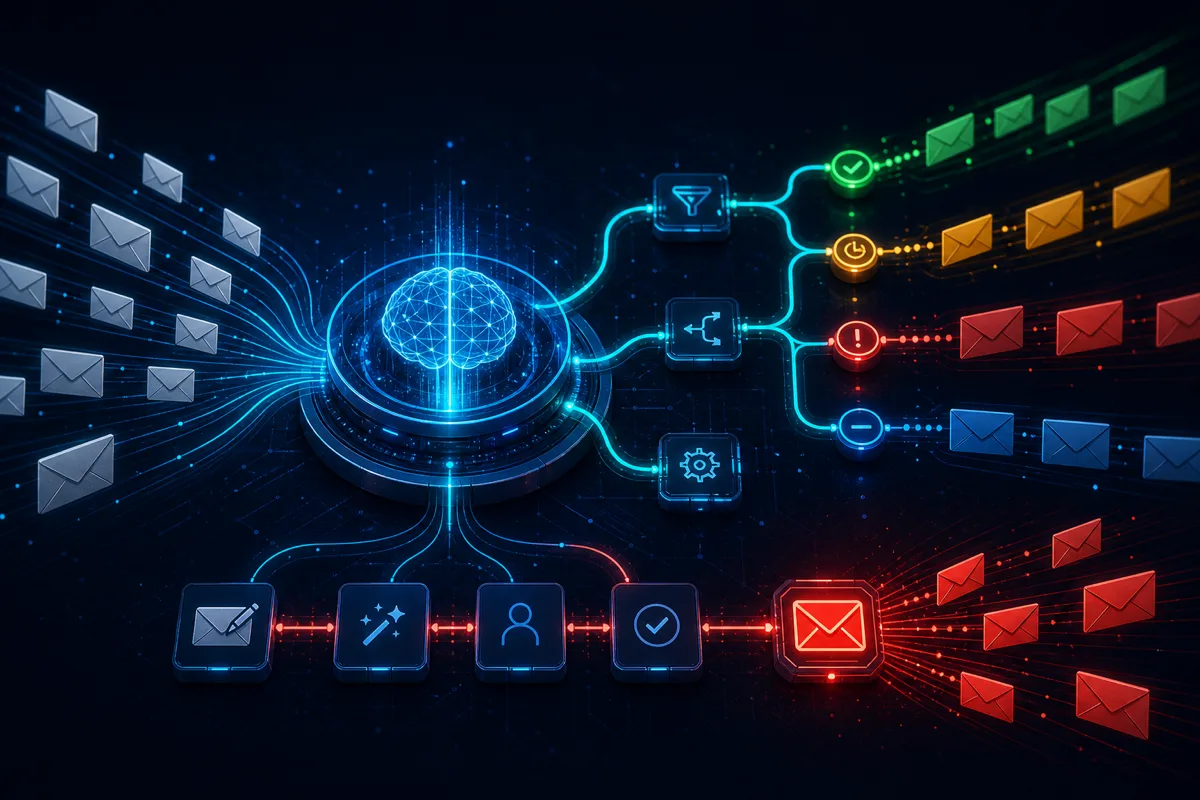
Operational email — vendor invoices, customer intake forms, partner order notifications, internal request workflows — represents a massive manual processing burden for most companies. The inbox isn't a communication problem; it's a data extraction and routing problem dressed as communication. AI email automation solves the data extraction and routing parts while keeping humans in the loop for judgment and exceptions.
The Operational Email Problem
Most companies have these email-driven workflows without realizing how much they cost:
- Vendor invoice processing: Finance receives invoices via email, manually enters data into accounting systems
- Customer intake: Sales receives inquiry emails, manually categorizes, routes to the right rep, logs in CRM
- Partner order notifications: Operations receives orders via email, manually enters into inventory/fulfillment systems
- Internal request handling: HR, IT, Facilities receive requests via email, manually route and track to resolution
Each workflow has the same structure: receive structured or semi-structured data in email form → extract the relevant fields → route to the right system or person → take a defined action. All four steps are good candidates for AI automation with appropriate validation.
Architecture: Email Automation Pipeline
[Email Received]
       ↓
[Email Classification]
  - Is this an invoice, inquiry, order, request?
  - Confidence scoring → route ambiguous to review
       ↓
[Data Extraction]
  - Extract structured fields (amount, date, vendor, PO number, etc.)
  - Validate extracted data (format checks, business rule validation)
       ↓
[System Integration]
  - Write to accounting system, CRM, fulfillment system
  - Create task/ticket with extracted data
       ↓
[Response Drafting] (optional)
  - Draft acknowledgment or response
  - Human review before sending (for customer-facing)
  - Auto-send for defined internal workflows
Email Classification with Confidence Thresholds
import anthropic
import json
from enum import Enum
from pydantic import BaseModel

class EmailCategory(str, Enum):
    VENDOR_INVOICE = "vendor_invoice"
    CUSTOMER_INQUIRY = "customer_inquiry"
    ORDER_NOTIFICATION = "order_notification"
    INTERNAL_REQUEST = "internal_request"
    UNKNOWN = "unknown"

class EmailClassification(BaseModel):
    category: EmailCategory
    confidence: float  # 0.0 - 1.0
    reasoning: str
    escalate_to_human: bool

def classify_email(subject: str, body: str, sender: str) -> EmailClassification:
    client = anthropic.Anthropic()

    prompt = f"""Classify this email for operational routing.

From: {sender}
Subject: {subject}
Body (first 2000 chars):
{body[:2000]}

Categories:
- vendor_invoice: Incoming invoice or bill from a vendor/supplier
- customer_inquiry: Customer question, complaint, or service request
- order_notification: Notification of a purchase order or order status
- internal_request: Internal team request (IT, HR, Facilities, etc.)
- unknown: Cannot determine category

Return JSON with:
- category: one of the categories above
- confidence: 0.0-1.0
- reasoning: brief explanation
- escalate_to_human: true if confidence < 0.80 or ambiguous"""

    response = client.messages.create(
        model="claude-opus-4-5",
        max_tokens=512,
        messages=[{"role": "user", "content": prompt}]
    )

    return EmailClassification(**json.loads(response.content[0].text))
Data Extraction for Invoice Processing
Invoice extraction is the highest-value operational email automation for most B2B companies:
from pydantic import BaseModel
from typing import Optional
from decimal import Decimal

class InvoiceData(BaseModel):
    vendor_name: str
    invoice_number: str
    invoice_date: str
    due_date: Optional[str]
    total_amount: Decimal
    currency: str = "USD"
    line_items: list[dict]
    po_number: Optional[str]
    payment_terms: Optional[str]
    extraction_confidence: float

def extract_invoice_data(email_body: str, attachment_text: Optional[str] = None) -> InvoiceData:
    client = anthropic.Anthropic()

    content = email_body
    if attachment_text:
        content += f"\n\nAttachment content:\n{attachment_text[:4000]}"

    prompt = f"""Extract invoice data from this email and any attachments.

{content}

Return a JSON object with:
- vendor_name: company that sent the invoice
- invoice_number: invoice ID/number
- invoice_date: invoice date (YYYY-MM-DD format)
- due_date: payment due date (YYYY-MM-DD format, null if not specified)
- total_amount: total amount due (number only, no currency symbol)
- currency: currency code (USD, EUR, etc.)
- line_items: list of {{description, quantity, unit_price, total}}
- po_number: purchase order number if referenced (null if not)
- payment_terms: net 30, net 60, etc. (null if not specified)
- extraction_confidence: your confidence in accuracy 0.0-1.0

If a field cannot be determined, use null. Be precise with amounts."""

    response = client.messages.create(
        model="claude-opus-4-5",
        max_tokens=2048,
        messages=[{"role": "user", "content": prompt}]
    )

    return InvoiceData(**json.loads(response.content[0].text))
Validation Before System Integration
Never write AI-extracted data directly to production systems without validation:
def validate_invoice_data(invoice: InvoiceData) -> tuple[bool, list[str]]:
    """Return (is_valid, list_of_errors)."""
    errors = []

    # Required fields
    if not invoice.vendor_name:
        errors.append("Missing vendor name")
    if not invoice.invoice_number:
        errors.append("Missing invoice number")

    # Amount sanity checks
    if invoice.total_amount <= 0:
        errors.append("Total amount must be positive")
    if invoice.total_amount > 1_000_000:
        errors.append("Amount exceeds auto-processing threshold — requires manual review")

    # Date format validation
    try:
        from datetime import datetime
        datetime.strptime(invoice.invoice_date, "%Y-%m-%d")
    except ValueError:
        errors.append(f"Invalid invoice date format: {invoice.invoice_date}")

    # Confidence threshold
    if invoice.extraction_confidence < 0.75:
        errors.append(f"Low extraction confidence ({invoice.extraction_confidence:.0%}) — manual review recommended")

    # Business rule: check against known vendor list
    if not is_known_vendor(invoice.vendor_name):
        errors.append(f"Unknown vendor '{invoice.vendor_name}' — requires vendor master verification")

    return len(errors) == 0, errors
Any invoice with validation errors routes to a human review queue with the extracted data pre-populated. Reviewers confirm or correct the extracted fields rather than entering them from scratch — saving most of the manual effort even for exceptions.
Response Drafting for Customer Inquiries
For customer-facing responses, always require human review before sending:
def draft_inquiry_response(
    inquiry: str,
    customer_name: str,
    knowledge_base: str,
    previous_interactions: list[str],
) -> str:
    client = anthropic.Anthropic()

    response = client.messages.create(
        model="claude-opus-4-5",
        max_tokens=1024,
        messages=[{
            "role": "user",
            "content": f"""Draft a response to this customer inquiry.

Customer: {customer_name}
Inquiry: {inquiry}

Relevant information:
{knowledge_base[:2000]}

Previous interactions (if any):
{chr(10).join(previous_interactions[-3:]) if previous_interactions else 'None'}

Guidelines:
- Professional and helpful tone
- Address the specific question directly
- If you can fully answer from the provided information, do so
- If the inquiry requires information you don't have, indicate what the team will need to look up
- Keep response under 200 words
- Don't promise specific timelines unless explicitly provided in the knowledge base
- Sign off as "Support Team" not a specific name

Return ONLY the email response body, no subject line."""
        }]
    )

    return response.content[0].text
The draft goes to a review queue where a human approves, edits, or rejects before sending. This reduces drafting time from 5-10 minutes to 30-60 seconds of review.
Audit Trail Requirements
Every AI-processed email needs an immutable audit trail:
@dataclass
class EmailProcessingRecord:
    email_id: str
    received_at: datetime
    classification: EmailClassification
    extracted_data: dict
    validation_result: tuple[bool, list[str]]
    routing_decision: str
    human_review_required: bool
    human_reviewer: Optional[str]
    human_corrections: Optional[dict]
    system_actions_taken: list[str]
    processing_completed_at: datetime
Log this record for every email processed — both AI-automated and human-reviewed. The audit trail answers: what did the AI extract, what validation failed, who reviewed it, what was corrected, and what actions were taken. Essential for compliance audits and for detecting systematic extraction errors.
Rutagon Builds Operational Email Automation
If your team is spending hours daily on email-driven manual data entry, Rutagon architects and implements the extraction, validation, and integration pipelines. Contact us at rutagon.com/contact.
See also: AI document classification and AI automation capabilities.
FAQ
How accurate is AI data extraction from invoices?
For clean, digital-native PDF invoices from major vendors: 90-97% field accuracy on standard fields. For scanned/handwritten invoices: 75-90% depending on scan quality. The validation layer catches most extraction errors before they reach downstream systems — any low-confidence extraction or validation failure routes to human review automatically.
Can AI handle invoice attachments, not just email body?
Yes, with a preprocessing step. PDF attachments can be passed to LLMs that support PDF input (Claude supports this natively), or converted to text via pdftotext/OCR first. Extraction works significantly better on digital-native PDFs than on scanned images. For high-volume invoice processing, building a multi-path pipeline (digital PDF path vs. scanned image path) improves accuracy.
How do you prevent AI email automation from acting on phishing or fraudulent emails?
Vendor allowlisting (only process invoices from approved sender domains), amount thresholds that require manual review for large values, and two-factor confirmation for payment actions. Never configure automated payment execution based solely on AI extraction — always require a human approval step for actual disbursements. AI handles the data entry; humans approve the financial action.
What email providers does this work with?
Any email provider with an API or IMAP access. Google Workspace (Gmail API), Microsoft 365 (Graph API), and most enterprise email providers have API access for programmatic inbox monitoring. Zapier or Make.com can trigger on incoming emails for simpler integrations; direct API integration is better for high-volume or reliability-critical workflows.
How long does implementation take for invoice processing automation?
A functional invoice processing pipeline (email monitoring, extraction, validation, routing to review queue, basic system integration): 3-6 weeks. Production-quality with audit logging, exception handling, retraining loops, and full system integration (accounting software APIs): 8-14 weeks. The timeline variance is primarily driven by accounting system API complexity and the diversity of your vendor invoice formats.